 BeFit Tracker Help
Serving-aware calculations
Use serving sizes and quantities
Learn how BeFit Tracker Classic recalculates nutrition from available serving information and quantity.
When a food contains suitable source serving information, Classic can calculate nutrition for a selected serving and quantity instead of leaving the amount as an unexplained unit.
Choose an amount when adding a food
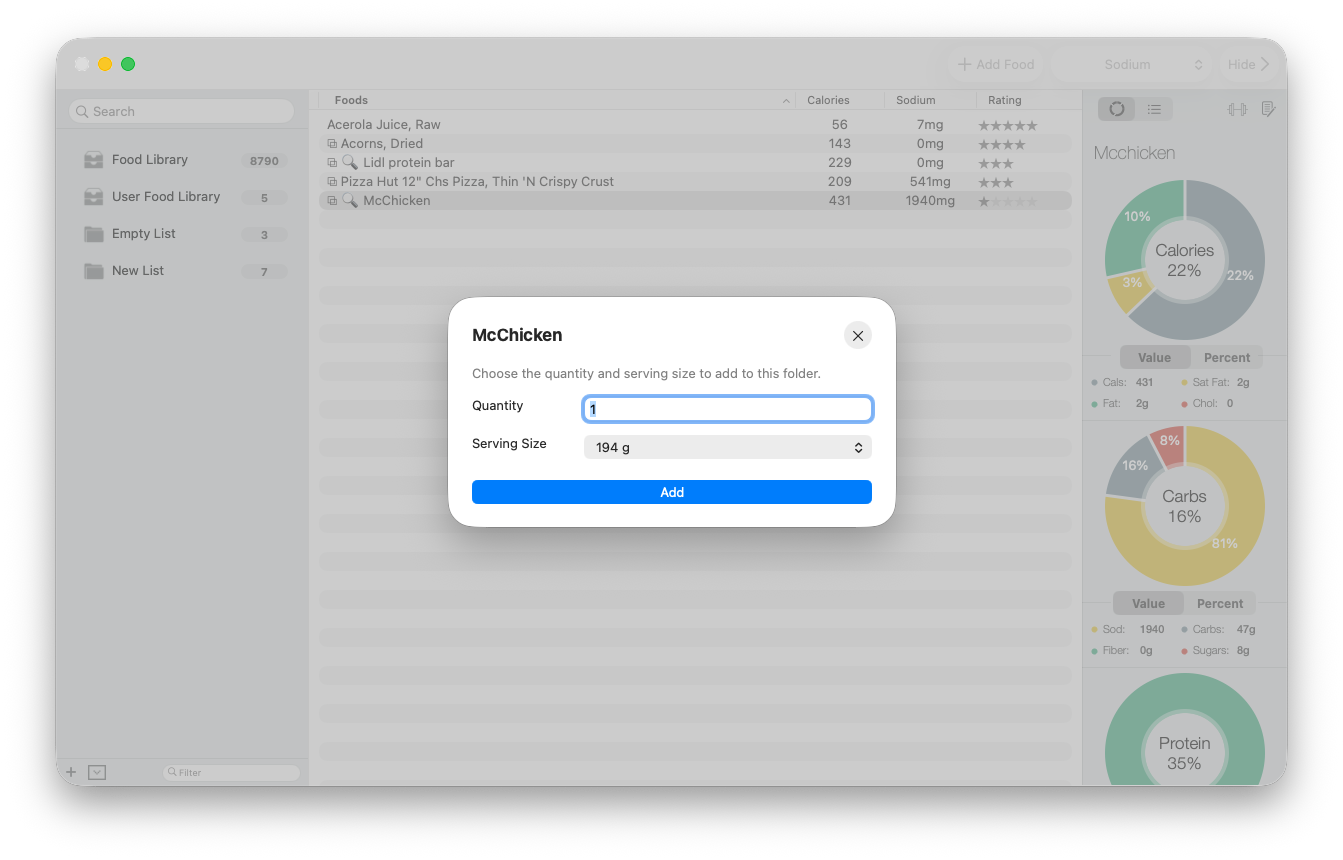
- Drag a food into a normal folder.
- Enter the quantity you want to represent.
- Choose one of the available stored serving descriptions.
- Confirm the selection. Classic applies the serving multiplier and recalculates the food and folder values.
Change the amount later
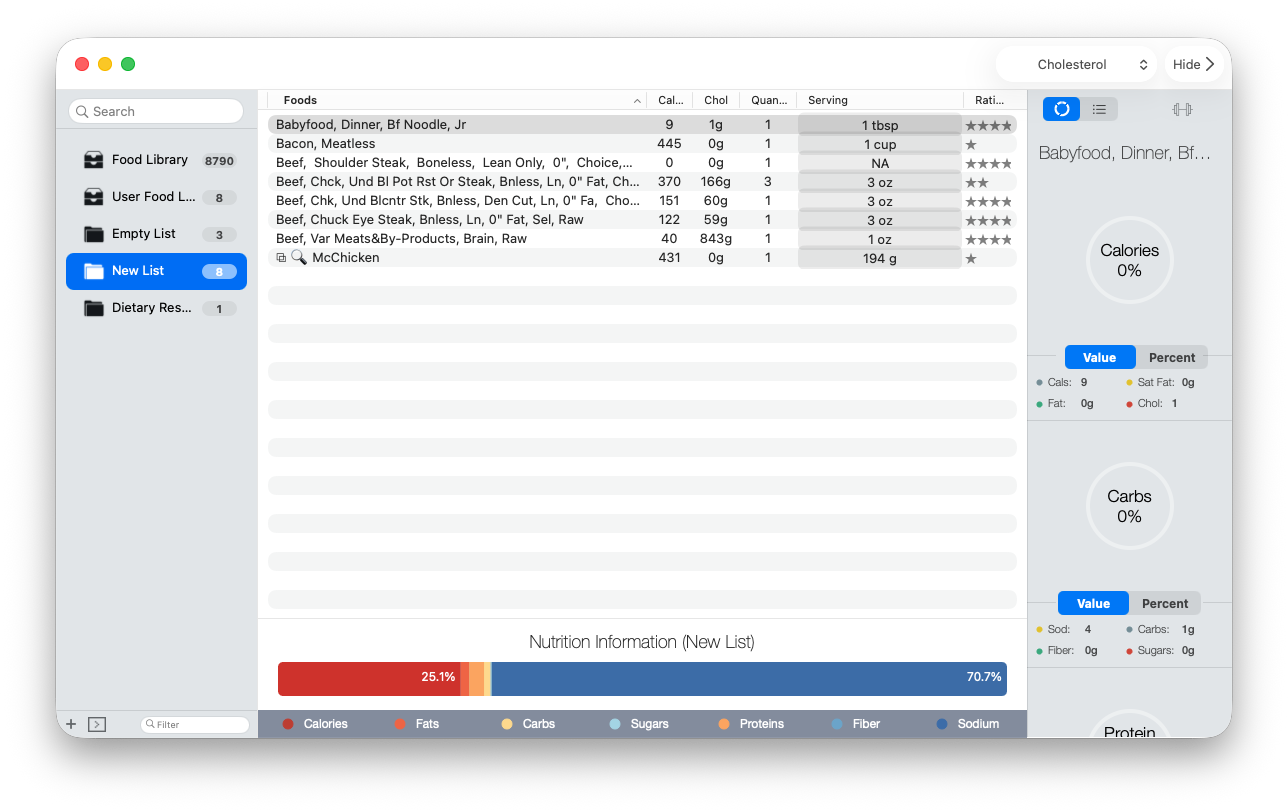
Open the list that contains the food, then use its Quantity and Serving cells to revise the stored amount. Quantity is the number of servings represented by the row; Serving is the source-supported measure used for each one. The row values and the list’s combined Nutrition Information summary update from the new choice.
When a serving is missing
Serving choices appear only when the source record contains a usable description and gram weight. Classic supports the serving slots stored with the food; it does not invent household measures or convert an unsupported volume into mass.
For provider-backed foods, 100 g is the safe baseline when another verified gram-based serving is unavailable.