BeFit Tracker Help
Universal workflow
Use Today and Quick Log
See the day clearly and reach common logging actions without digging through every tracker.
Use Today as the daily starting point
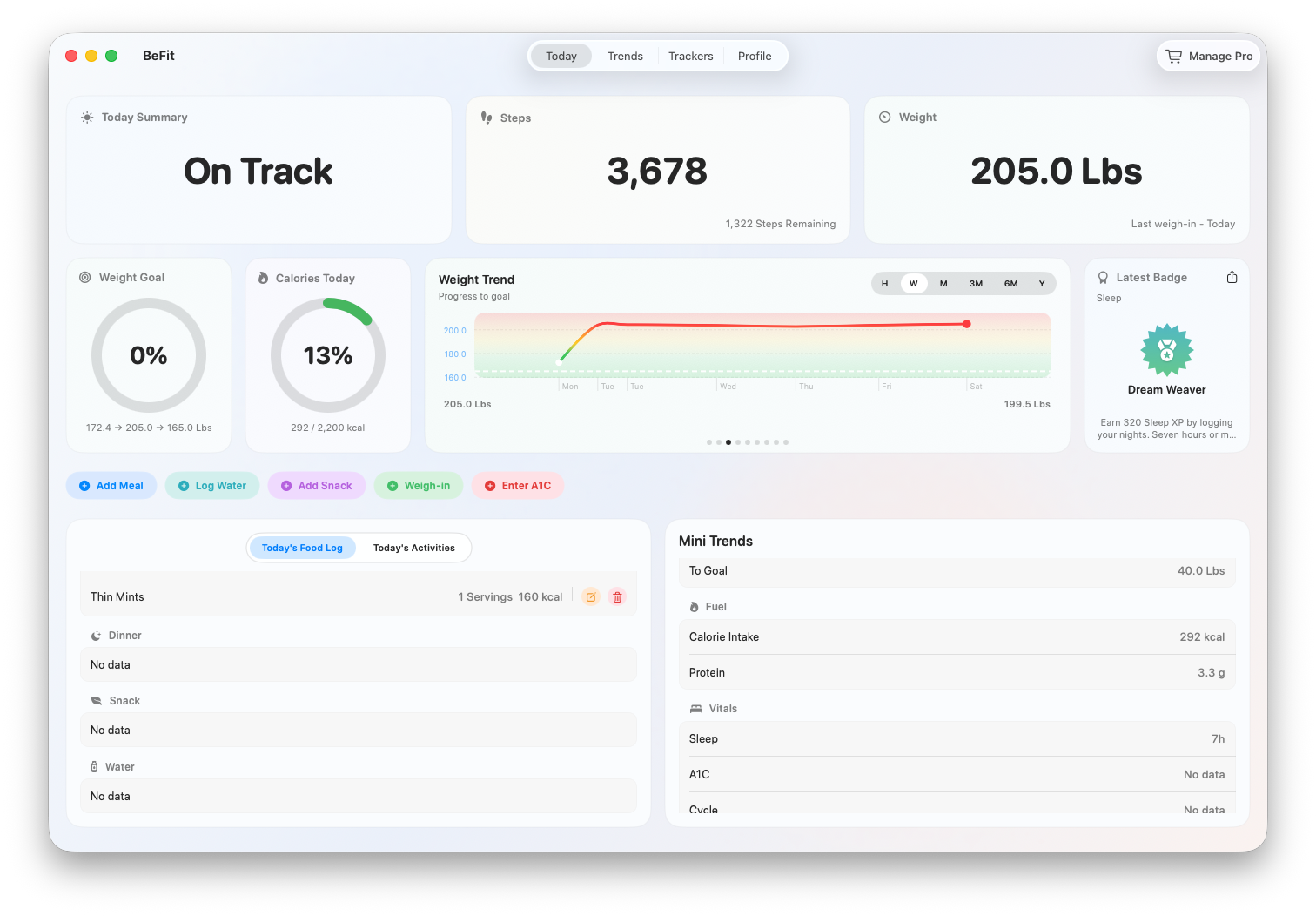
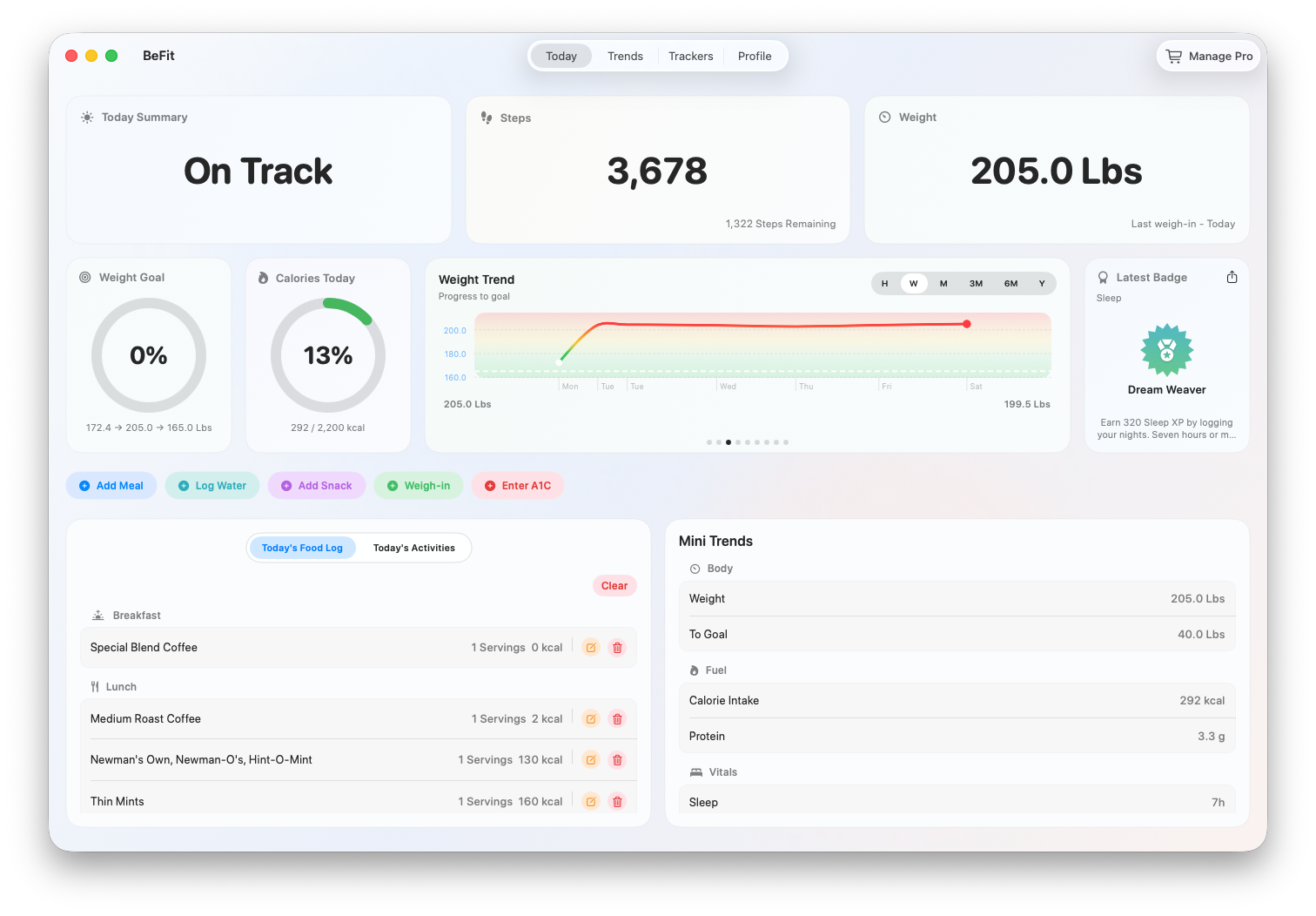
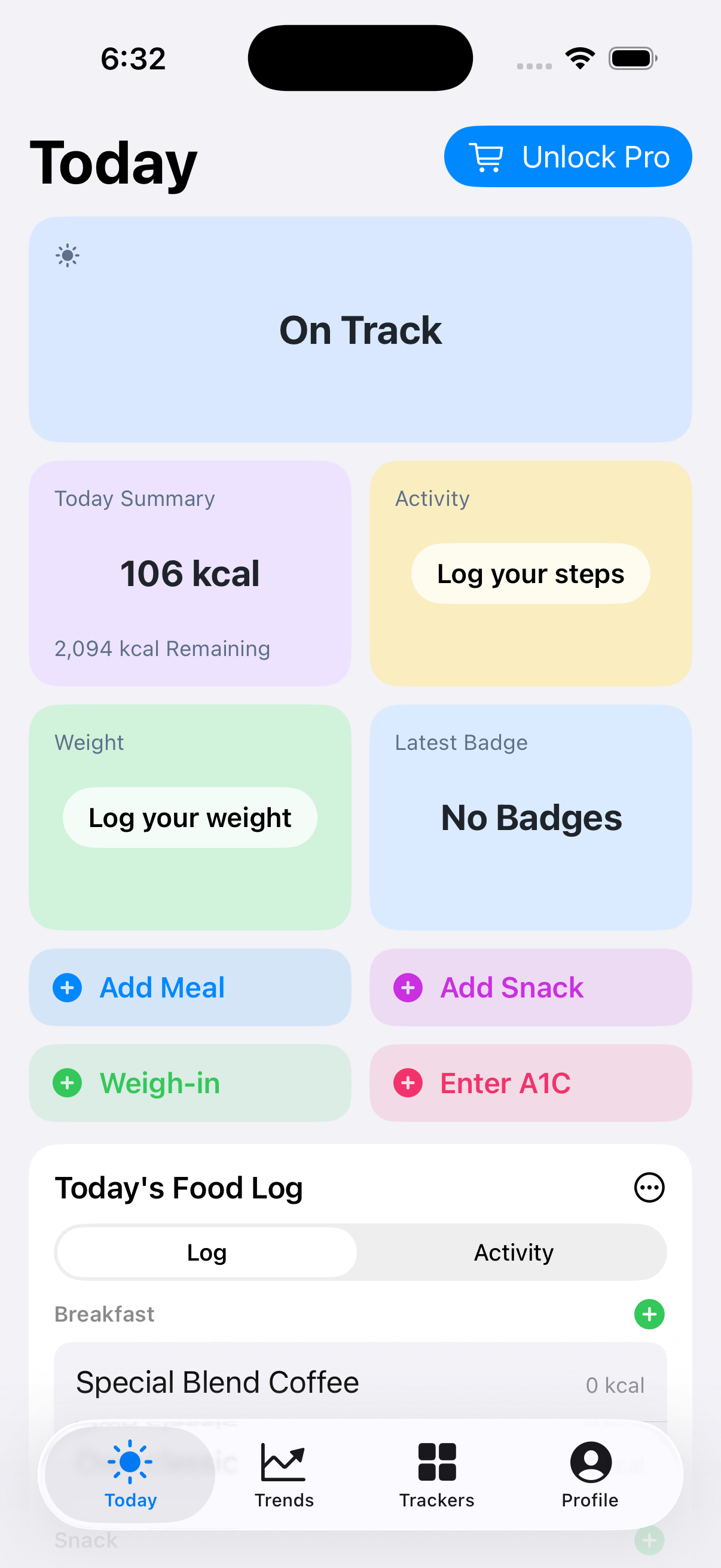
Today brings food, activity, weight, goals, recent records, mini trends, and your latest achievement together. It is a summary of saved information, not a separate copy of your data. Quick actions open the canonical entry flows used by the corresponding trackers.
Read the top summary
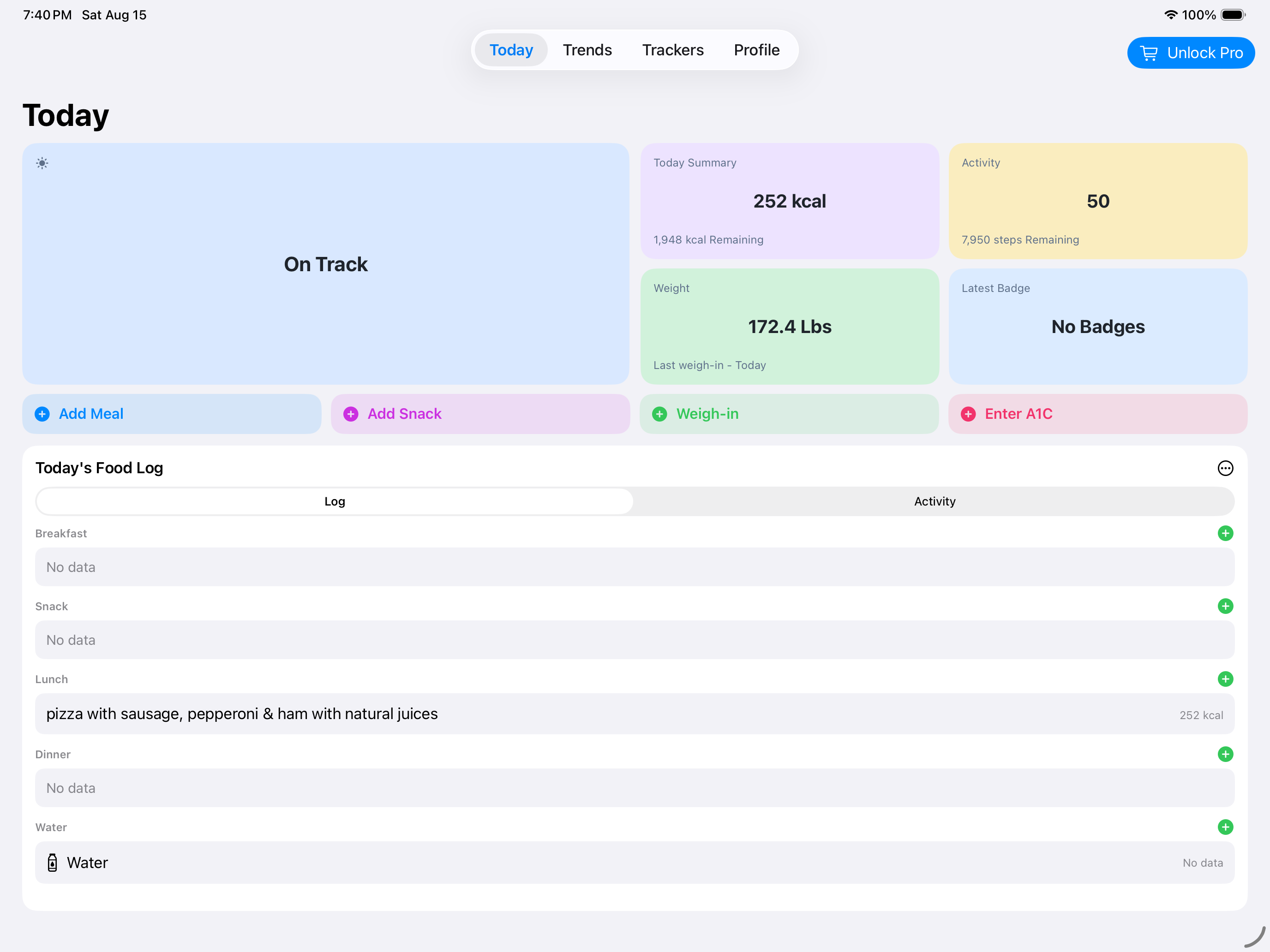
The status banner summarizes the day from available goals and records. Today Summary compares logged food with the calorie goal. Activity compares available steps with the step goal. Weight shows the latest applicable weigh-in, and Latest Badge shows the most recent earned achievement. A missing record produces an honest prompt or no-data state rather than an invented result.
Choose Quick Actions
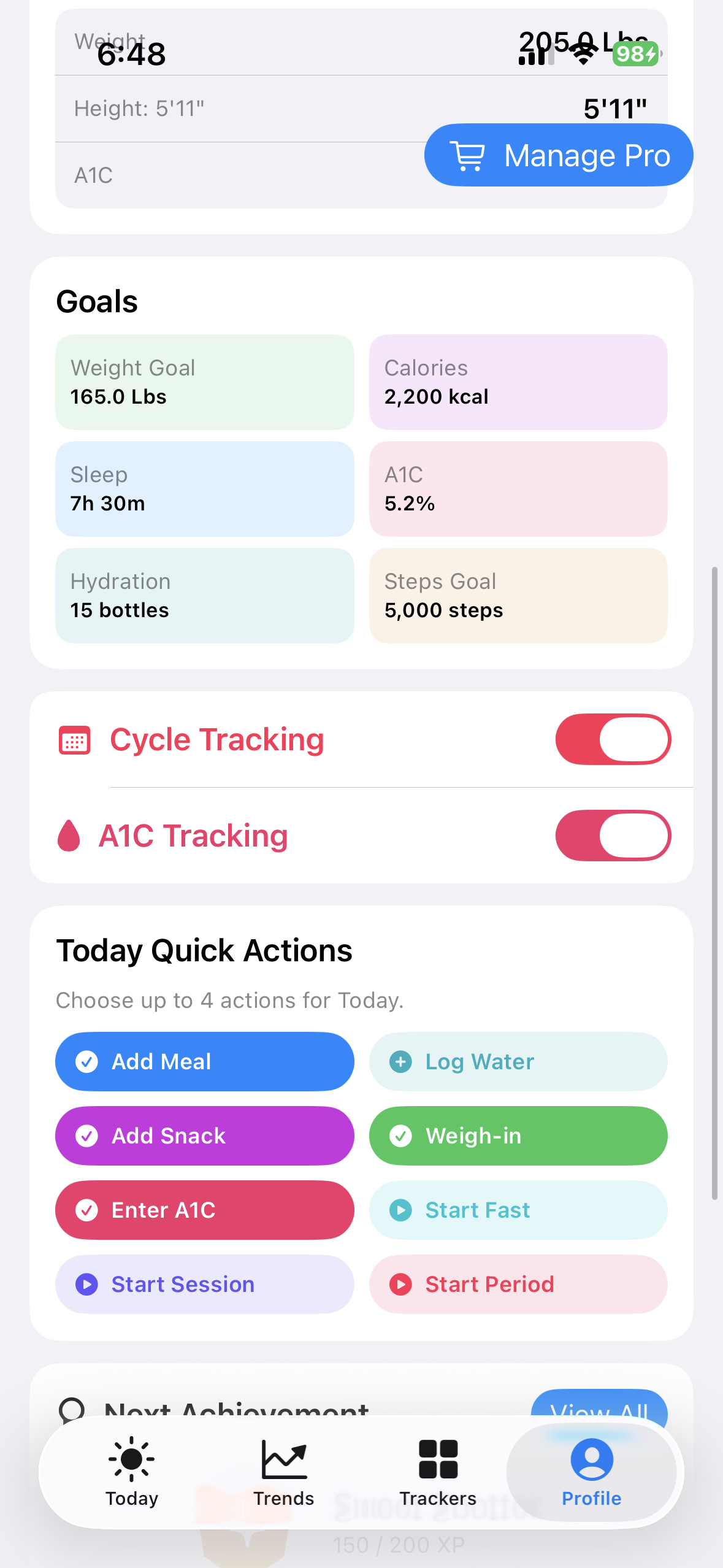
Quick Actions keep up to four visible actions on Today. Available choices include common food, hydration, weight, and enabled-tracker workflows. A1C and Cycle actions appear only when those trackers are enabled. Hidden tracker actions do not consume one of the four visible slots.
- Open Profile and find Today Quick Actions.
- Select at least one and no more than four currently available actions.
- Return to Today and confirm the selected buttons appear.
- If you disable A1C or Cycle later, its hidden action is removed from the active selection.
 Review the available actions
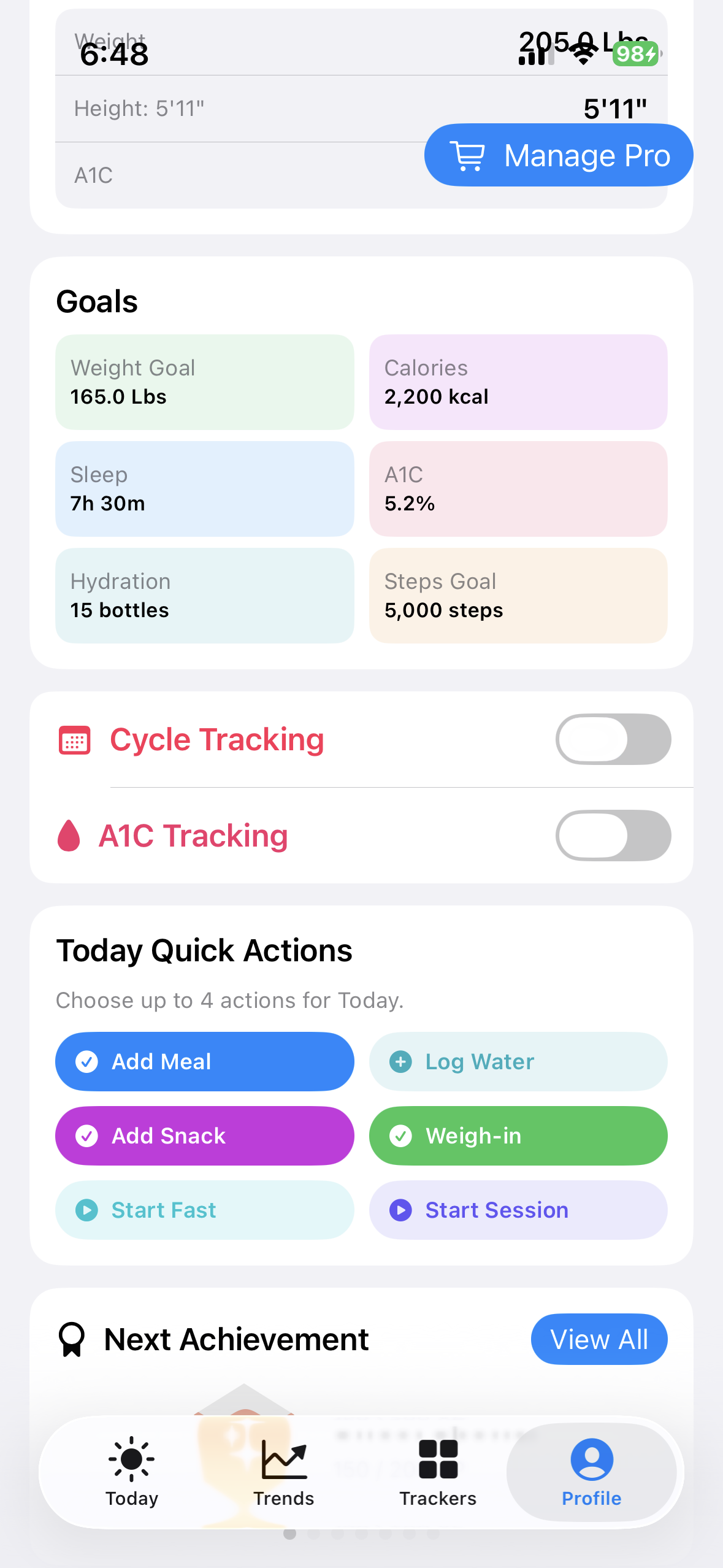 Keep up to four selected
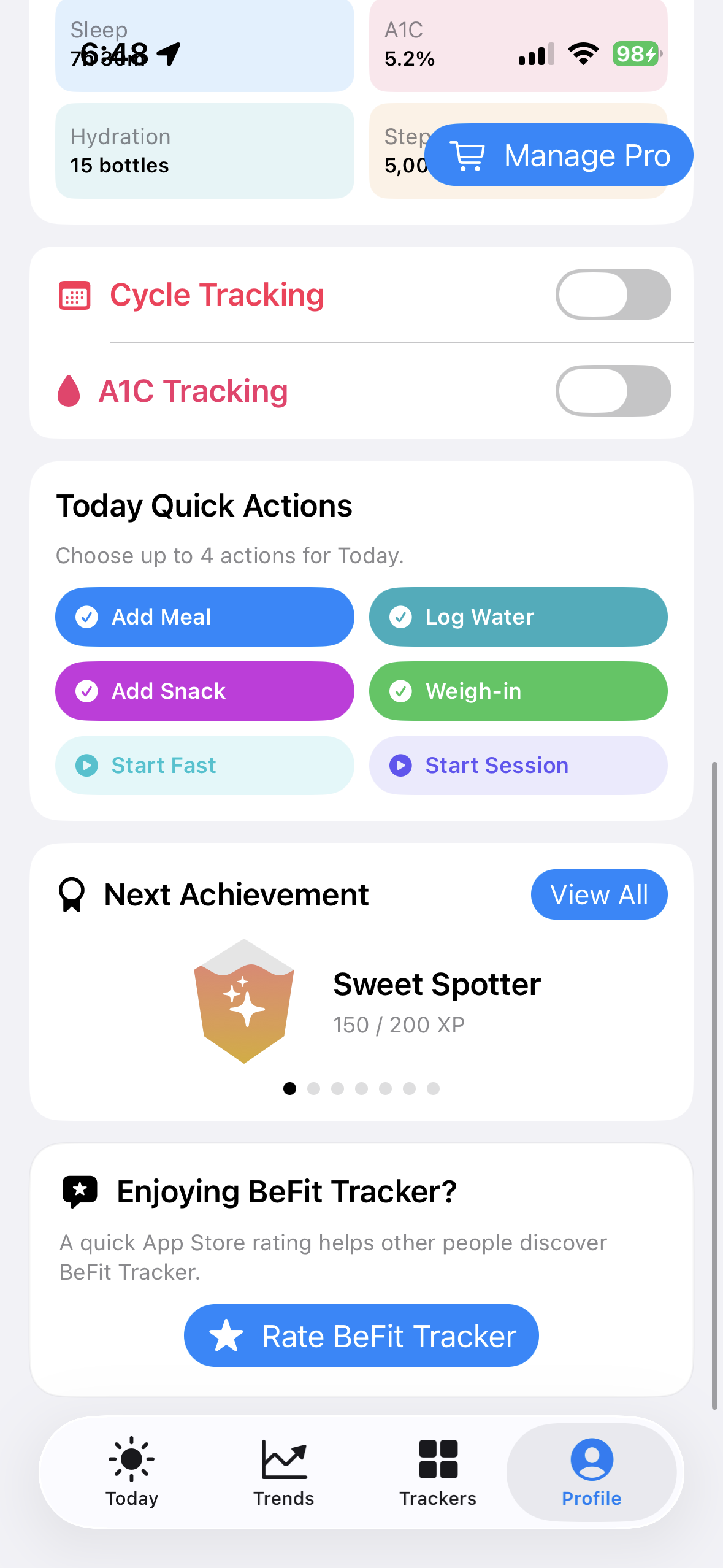 Choose the actions you use most
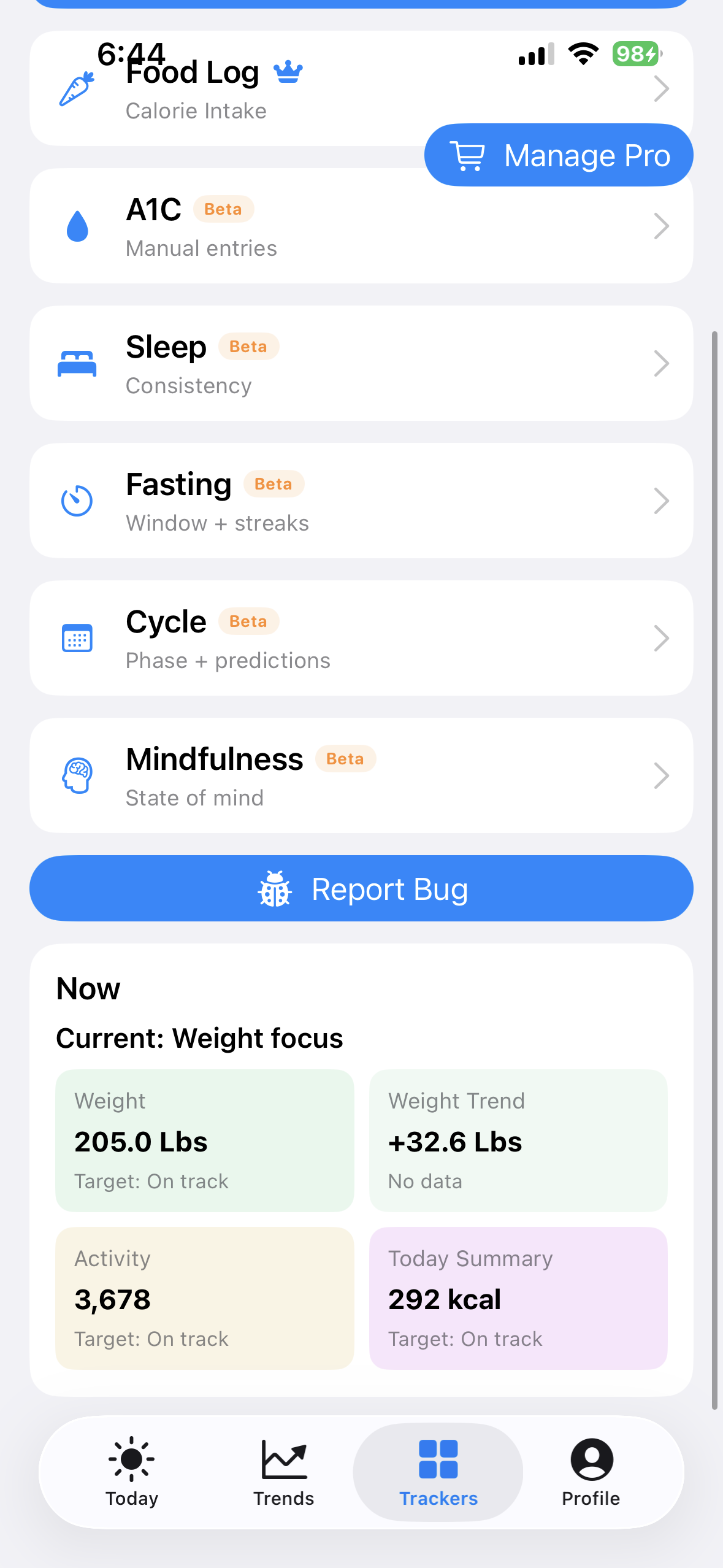 Reach the same entry tools from Trackers
Understand the daily log
Switch between Log and Activity. Log groups foods by Breakfast, Lunch, Dinner, and Snack and keeps Water visible as a daily record. Activity collects supported dated records such as weigh-ins, BMI, steps, sleep, A1C, and Cycle. Open a persisted row when you need its canonical edit or delete action.
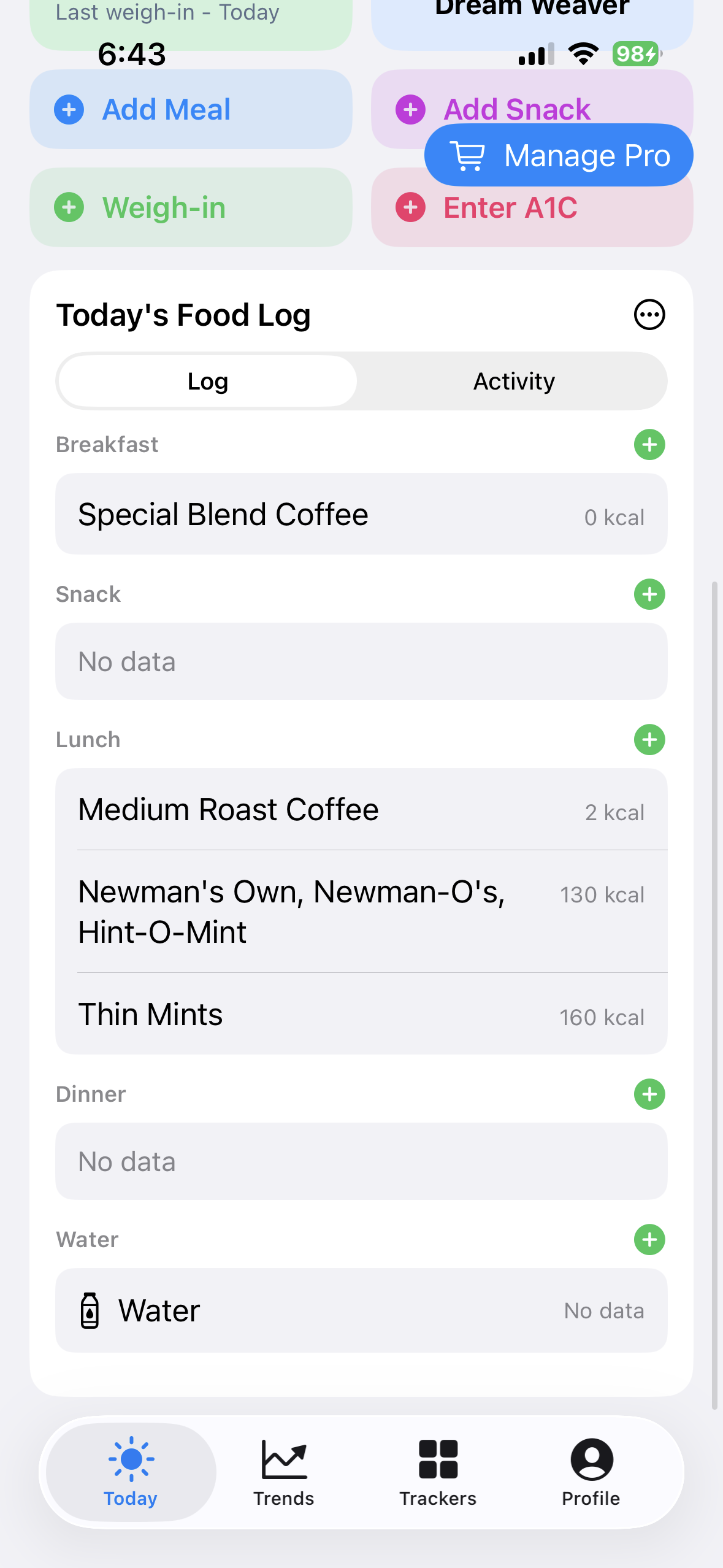 Use Log for meals and water
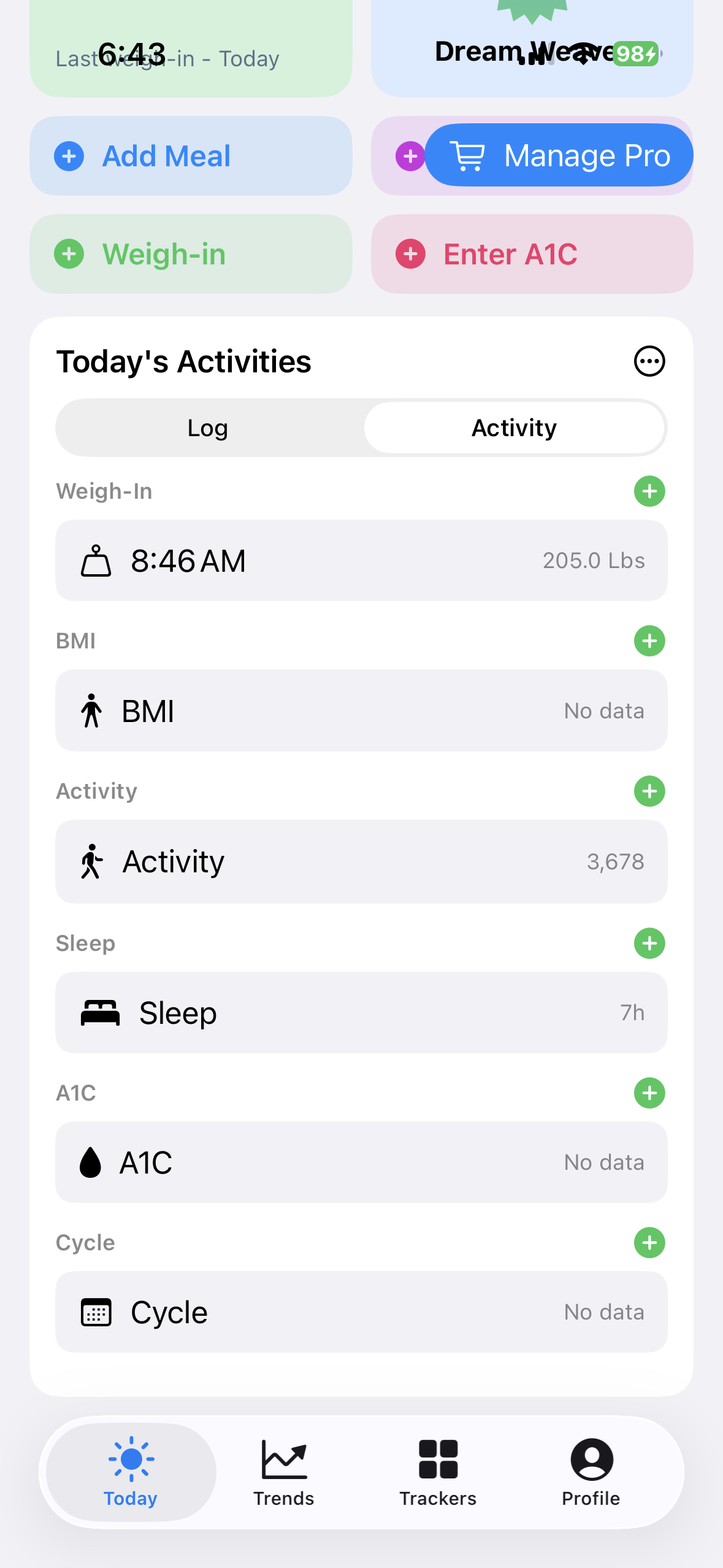 Use Activity for tracker records
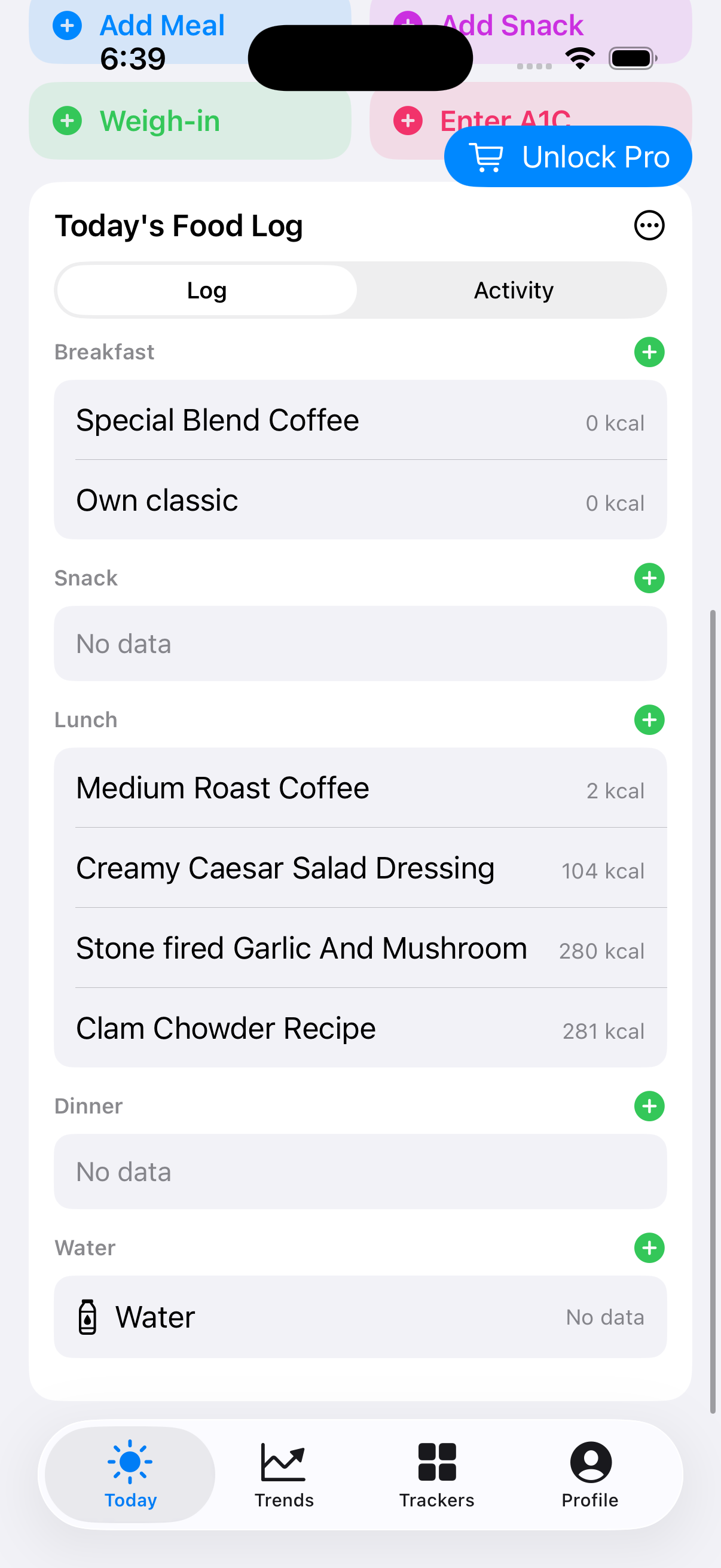 Log shows food and water
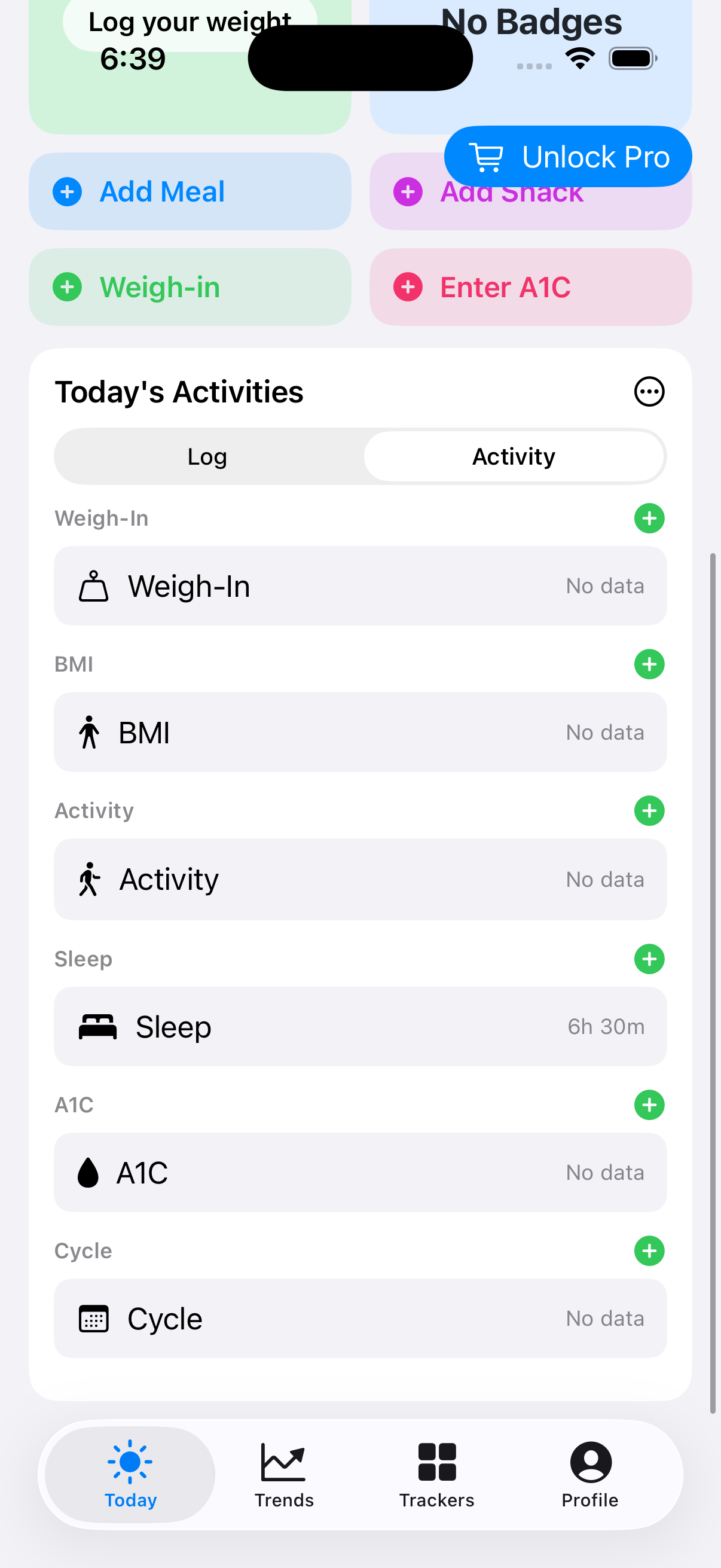 Activity shows tracker records
Open a focused entry sheet
A Quick Action does not invent or silently save a record. It opens the same focused entry sheet used by the corresponding tracker. Confirm the value and date before saving.
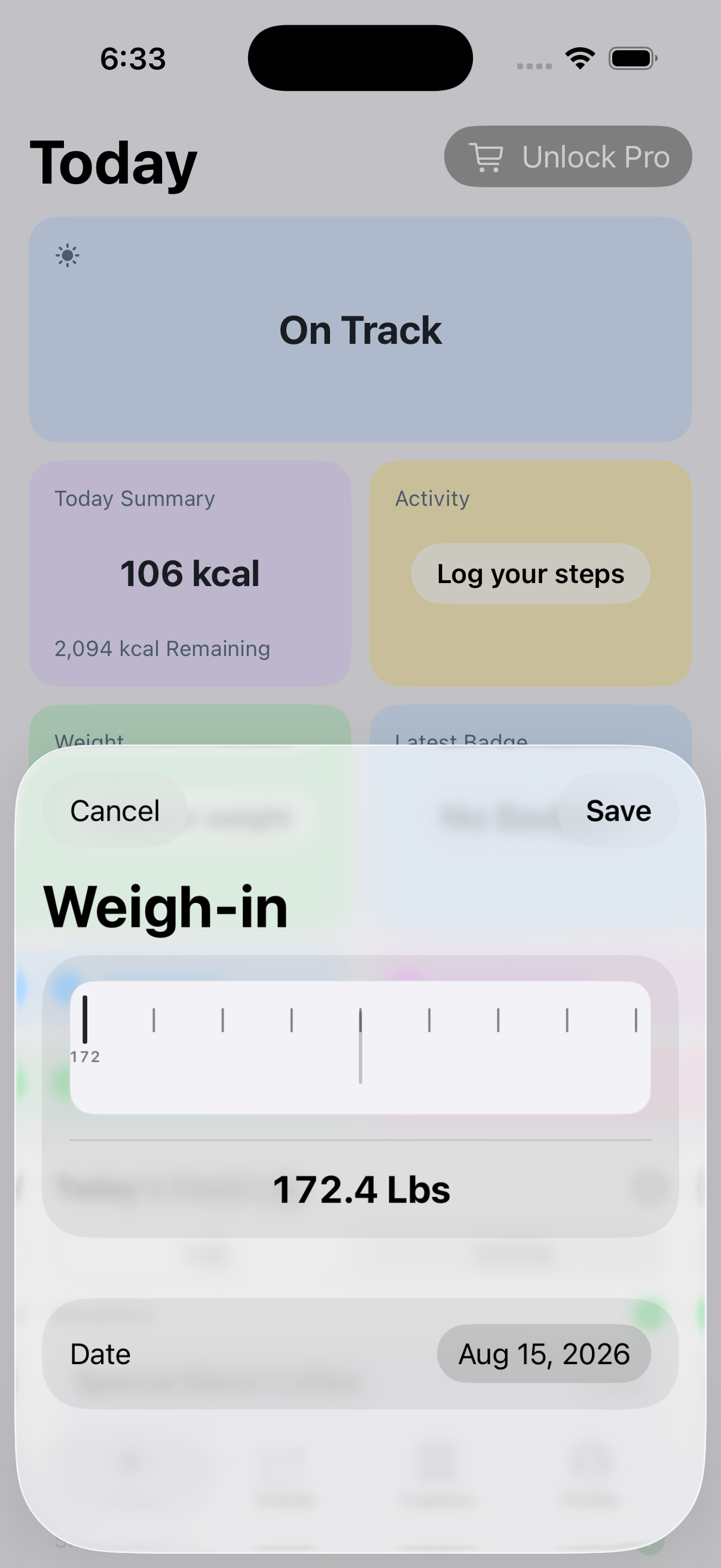 Record a measured weight
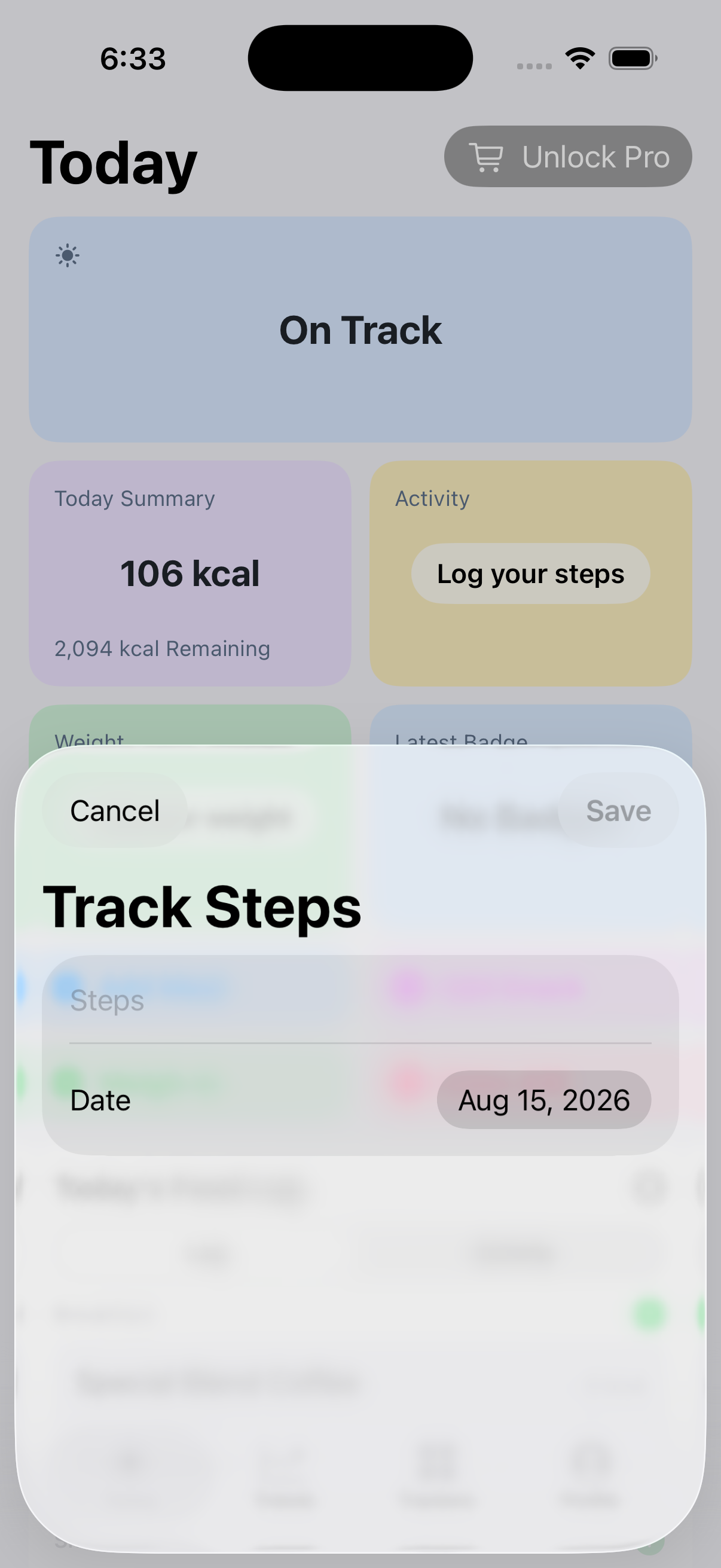 Enter a dated step total
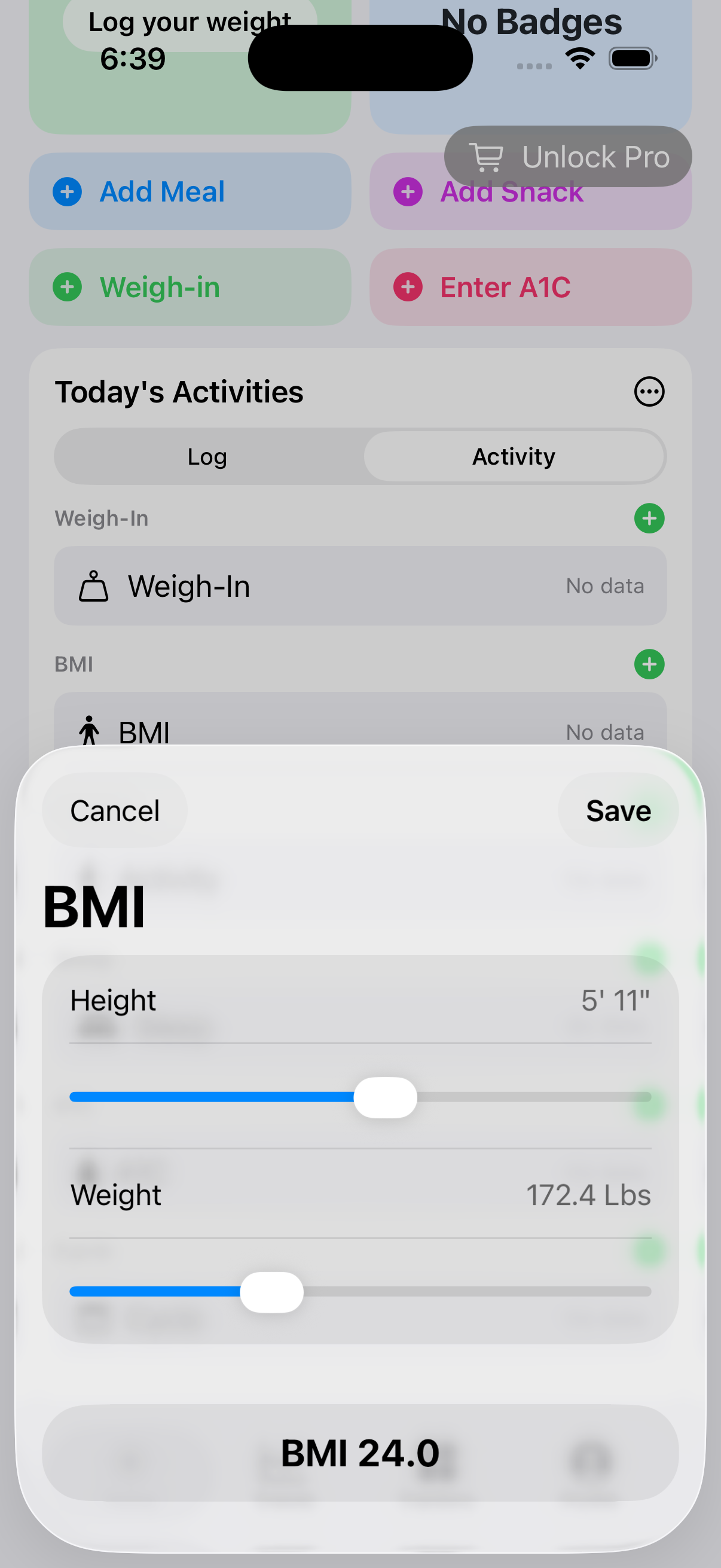 Review height and weight for BMI
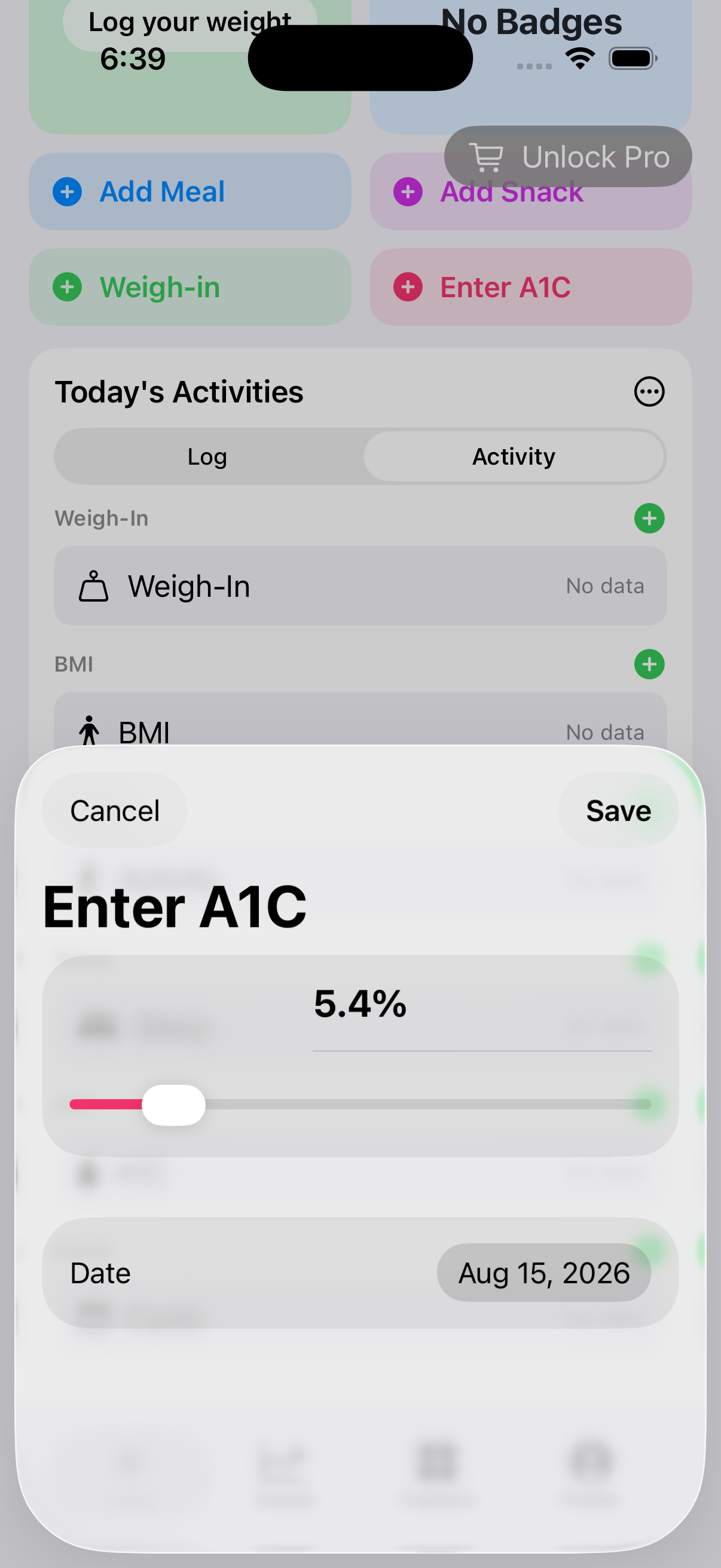 Use A1C only when its Beta tracker is enabled
Use the latest achievement
The badge card reports the latest permanently earned achievement and provides a route to the full gallery. Sharing creates a customer-controlled achievement summary; it does not publish automatically.
iPhone and iPad
Tap a Today action to open a focused sheet designed for touch. iPhone presents the dashboard as a clear vertical flow. Landscape iPad uses the wider canvas to keep the summary and more of the complete daily log visible together.
Mac
Use the persistent Today workspace to keep more daily context visible while opening the same underlying logging workflows. The Mac layout exposes more summary, goal, food, and mini-trend cards at once, but the saved records and calculations follow the same model as mobile.