Classic Mac app
BeFit Tracker Classic
Learn the focused food-library workflows in BeFit Tracker Classic for Mac, including its free core experience and optional expanded database.

BeFit Tracker Classic is a maintained Mac food-library app with a free core experience. Version 7.5.1 adds an optional $2.99 expanded database with more than 1.9 million foods while preserving existing folders and custom foods during the upgrade.
Classic keeps its own local database and familiar folder-based workflow. It does not synchronize with iCloud, iPhone, iPad, or the Health app, and there is no migration path between Classic and the newer BeFit Tracker.
Start with the Food Library
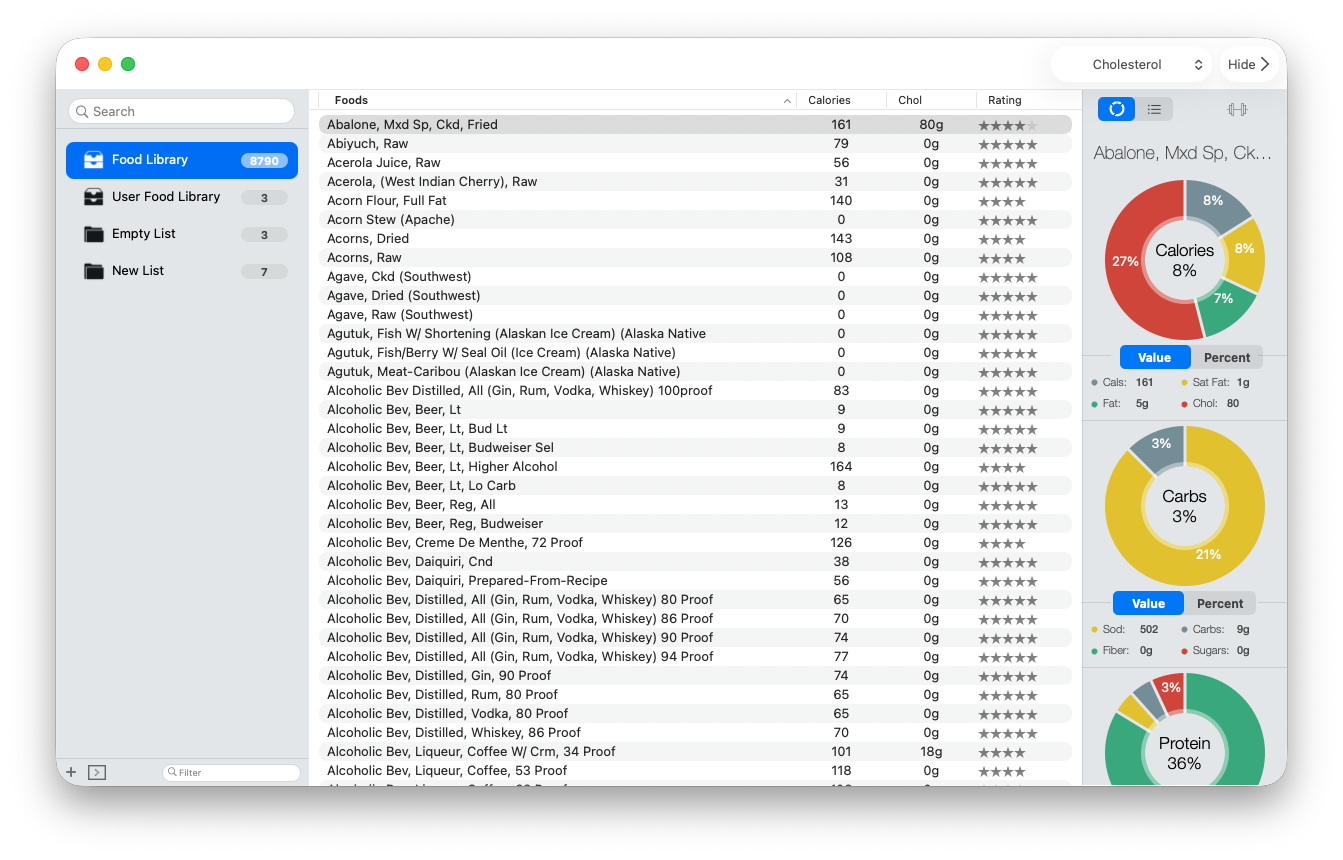
Search the bundled catalog, select a food, and inspect its stored nutrition information in the sidebar and chart views. Build reusable folders when you want to compare a group of foods, or use the User Food Library for foods you want to create, edit, or keep as personal copies.
What version 7.5.1 changes
- An optional one-time $2.99 purchase expands the catalog to more than 1.9 million foods and supports Apple Family Sharing.
- Manage Pro provides purchase and restore controls for the expanded database.
- Existing folders and custom foods are preserved when the database is upgraded.
- View Logs includes purchase and database migration diagnostics.
- Food importing, adding, deletion, database reliability, and purchase restoration are improved.
- Folder switching and the bottom nutrition graph now behave more reliably.
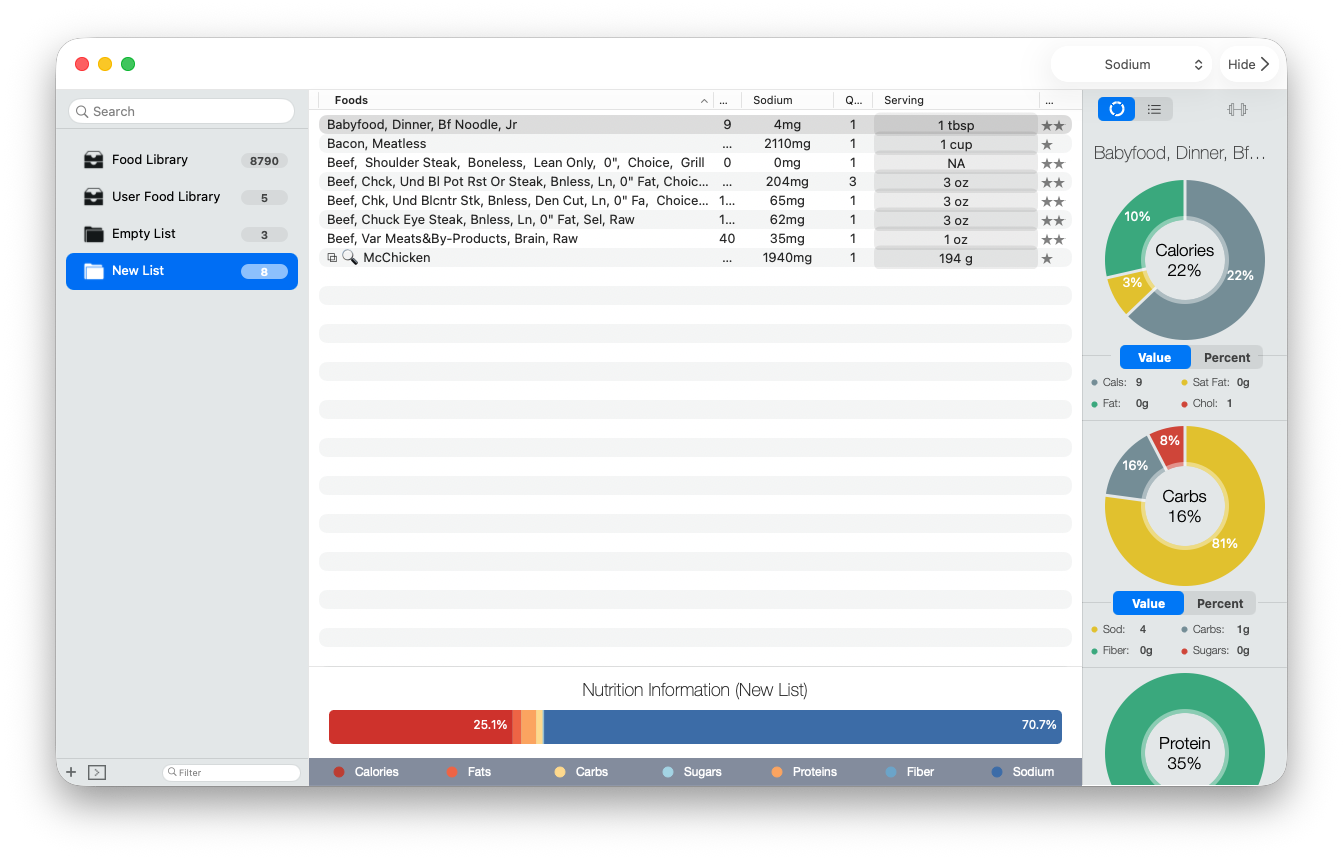
The core Classic app remains free. In version 7.5.1, Manage Pro offers the expanded database as a restorable $2.99 one-time purchase and preserves existing folders and custom foods during its database migration. The purchase can be shared with up to five other eligible members of your Apple Family Sharing group.
Popular Classic guidance
- Understand the updated food catalog
- Start fresh when moving an older Mac release to Classic
- Create food folders and read their summaries
- Build and maintain a User Food Library
- Protect your Classic data before troubleshooting
- Explore the complete Classic release history
Catalog and provider records can be incomplete, and personal foods depend on the values entered. BeFit Tracker Classic does not provide medical advice.