 BeFit Tracker Help
Mac tracker guide
Cycle tracking on Mac
Record periods and observations, inspect exact history, and understand how saved records shape cycle estimates on Mac.
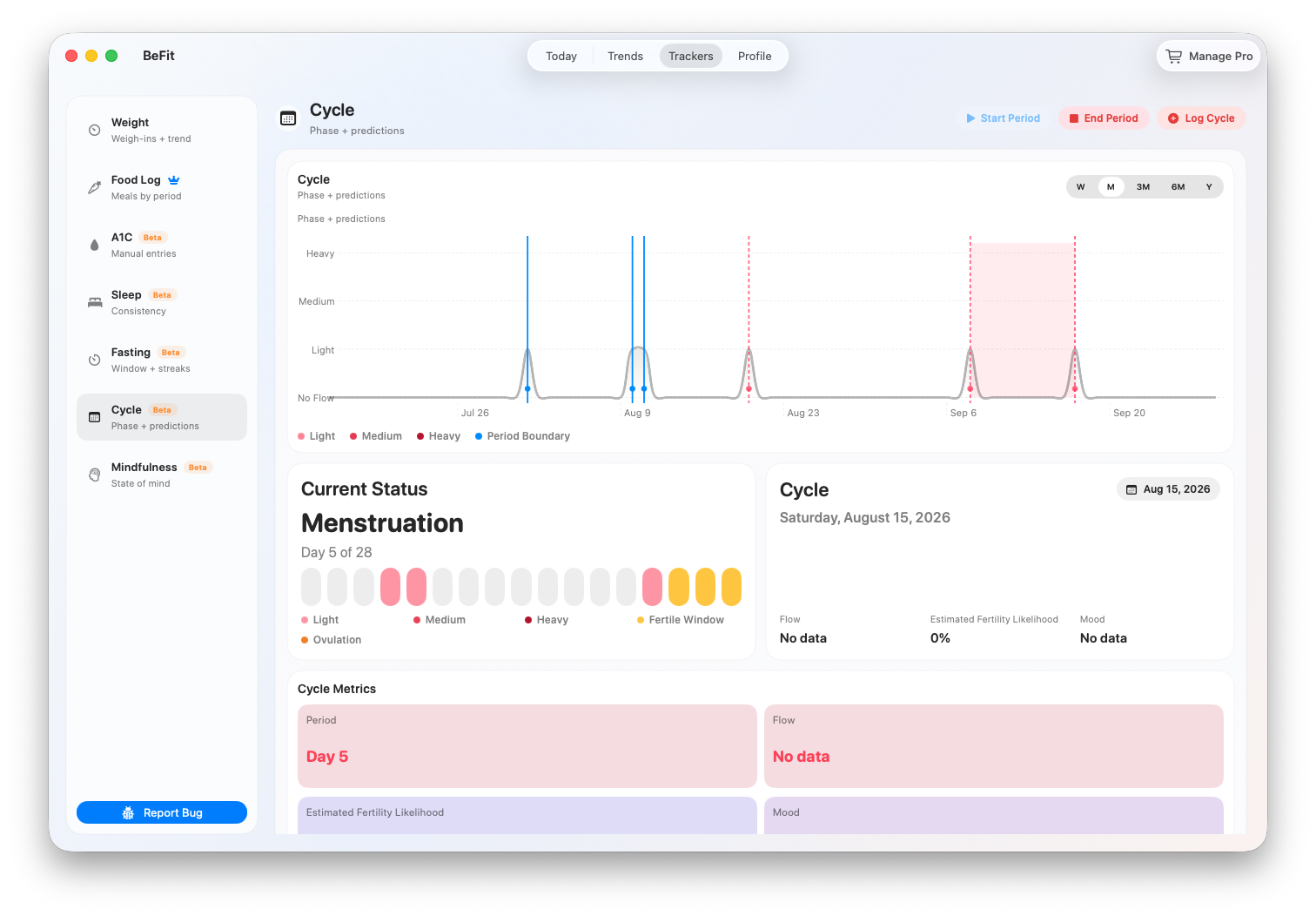
The Mac Cycle tracker places recorded period ranges and daily observations beside status and prediction calculations. Recorded flow, mood, and dates describe your history. Phase, fertility likelihood, predicted ovulation, fertile-window, and next-period dates are estimates derived from that history.
Start and end a current period
- Open Trackers → Cycle and select the date the period began.
- Choose Start Period. You cannot start another while a period is active.
- Add daily flow or mood observations with Log Cycle when useful.
- On the actual final date, choose End Period.
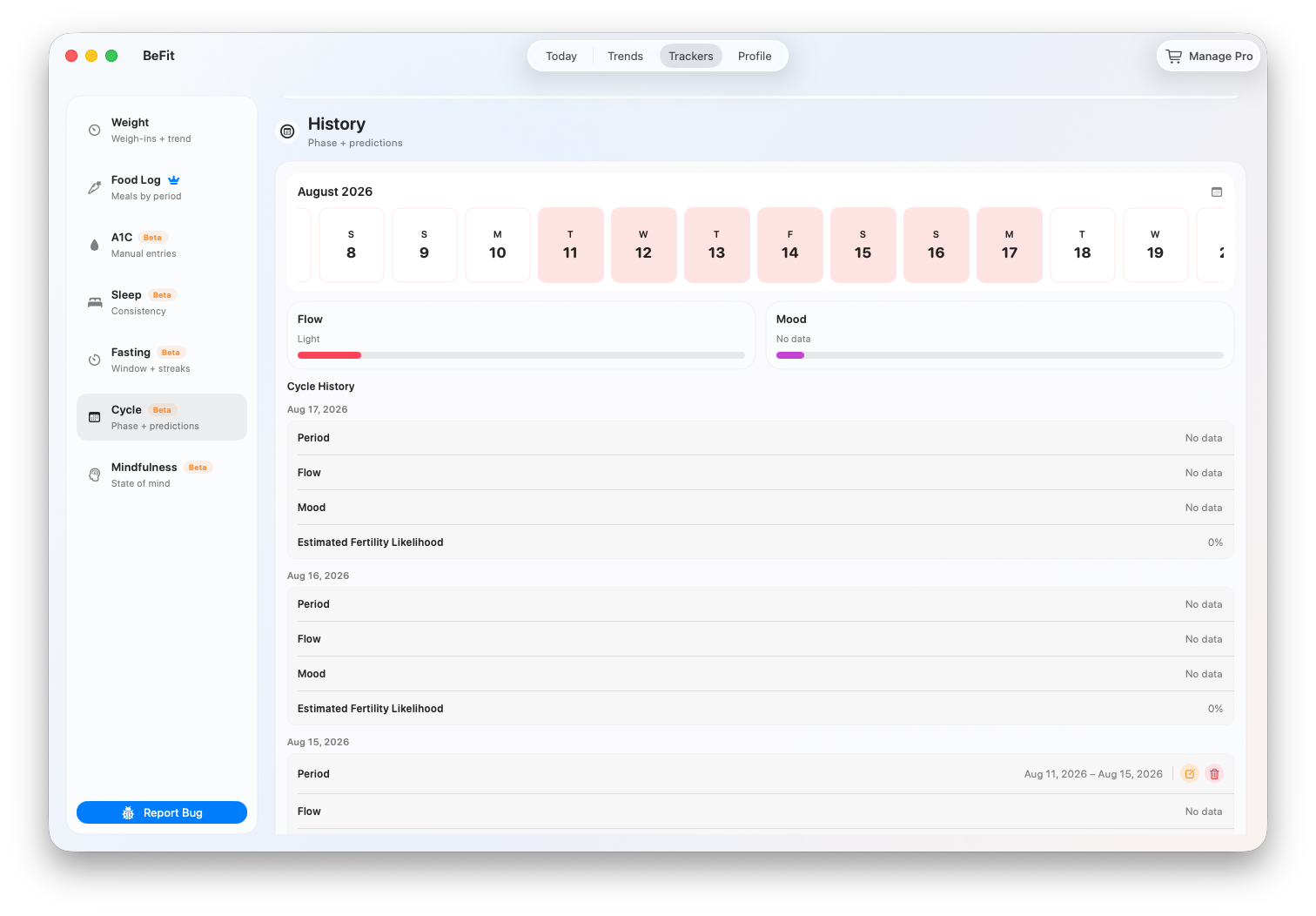
- Confirm the completed start and end range in History.
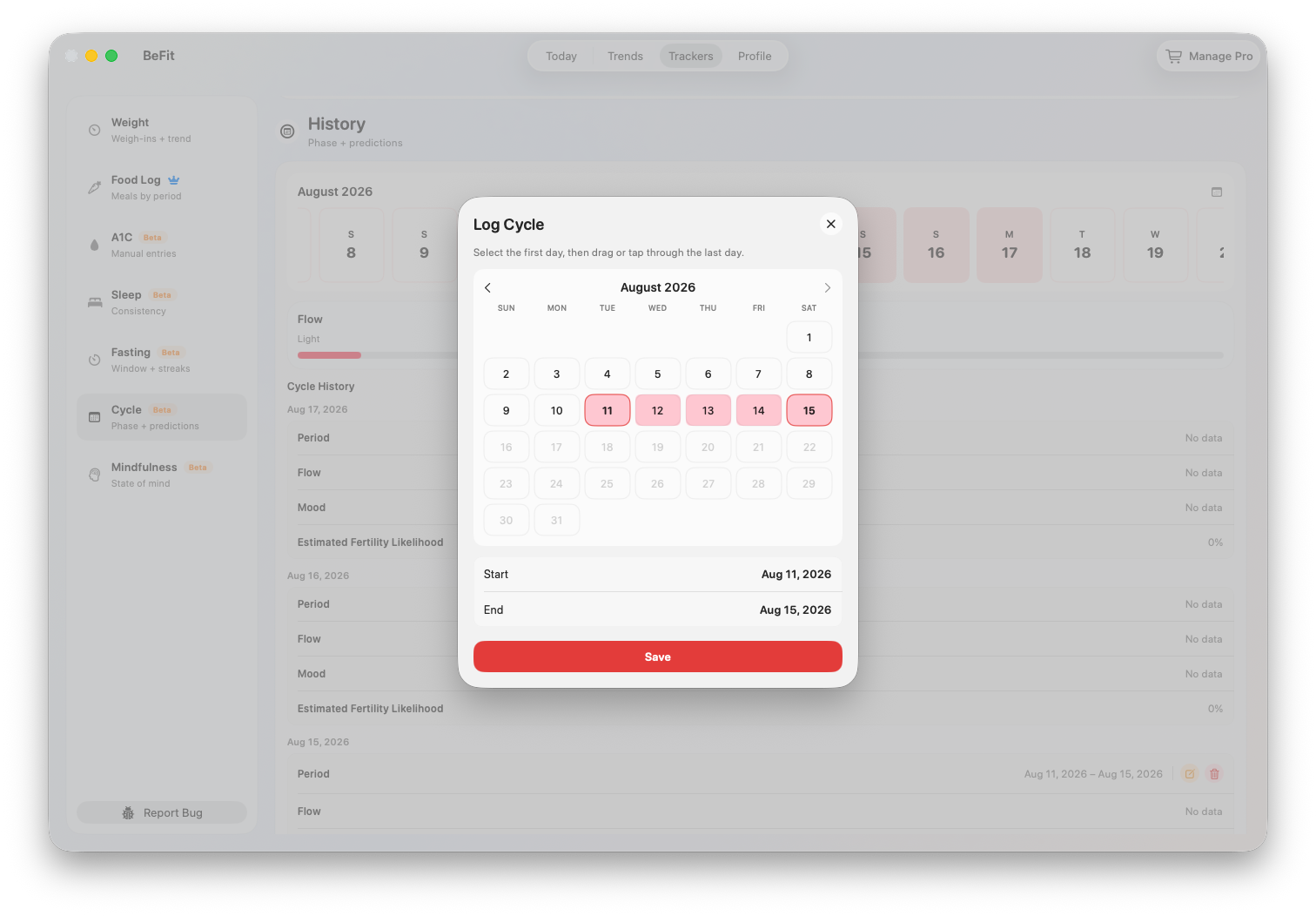
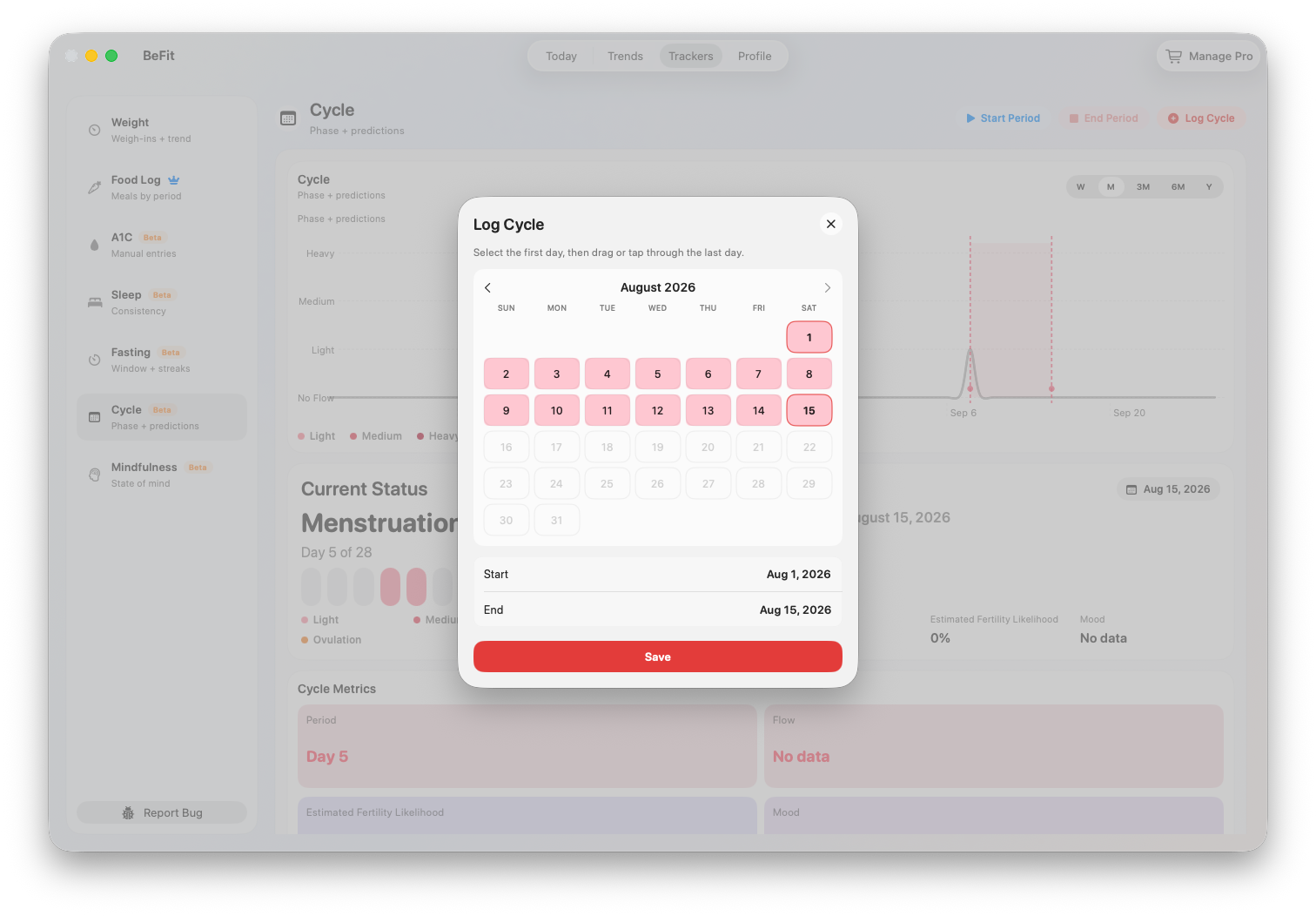
Log a completed period from the past
- Choose Log Cycle and select the completed-period range.
- Enter the known start and end dates.
- Review both boundaries for overlap with an existing period.
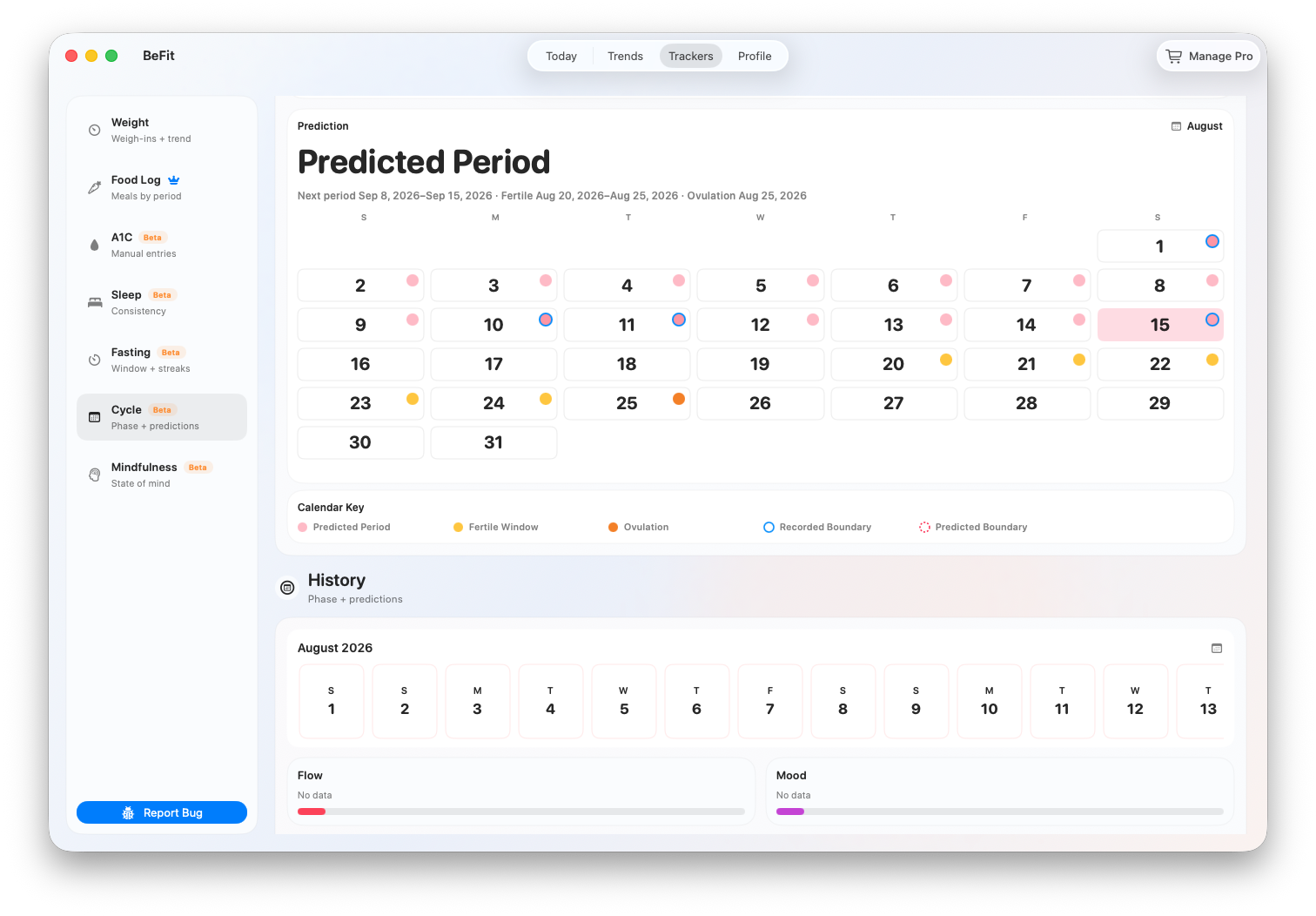
- Save, then check the new range in History and the Prediction Calendar.
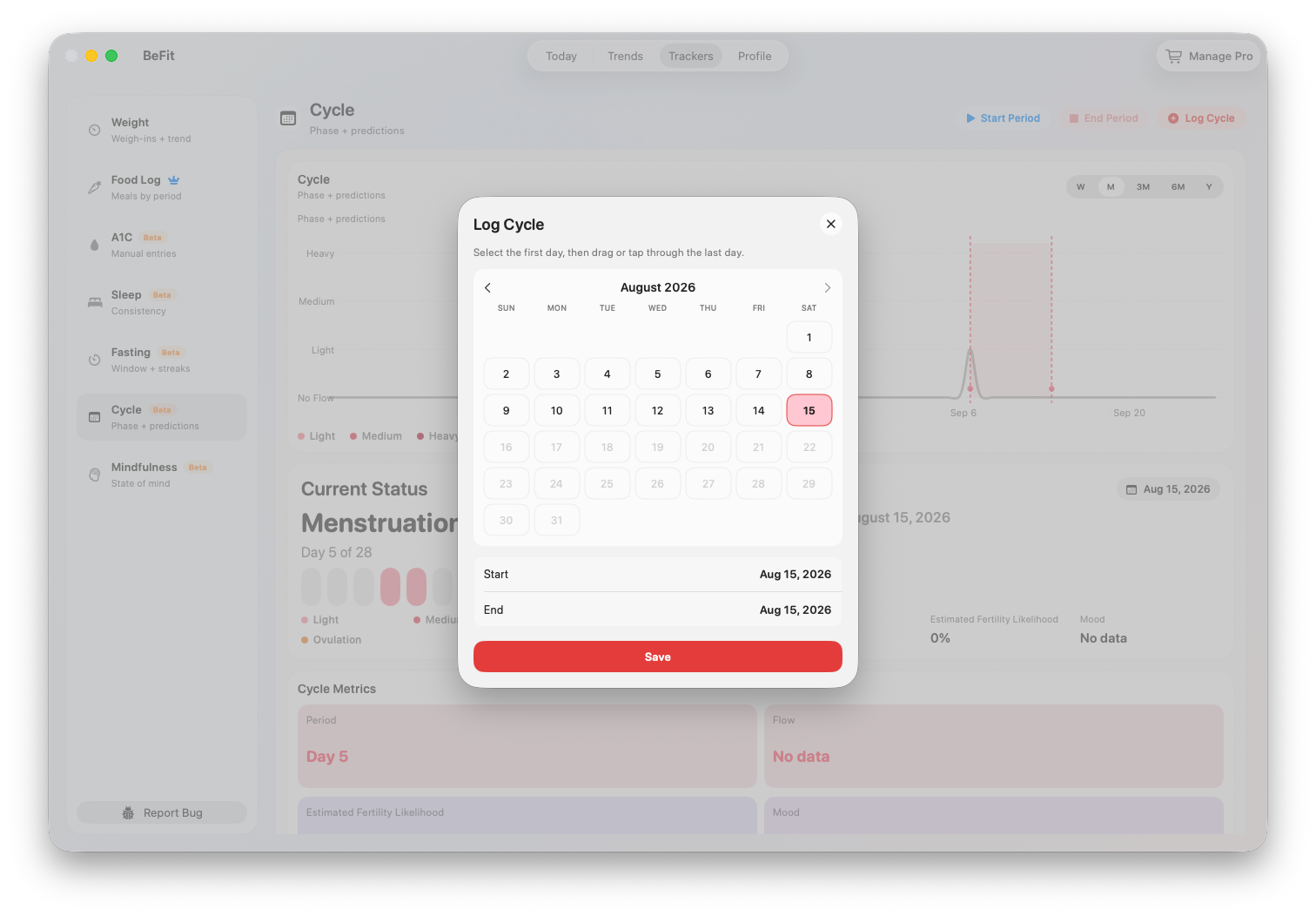
Add a flow or mood observation
- Select the date the observation belongs to.
- Choose Log Cycle.
- Select the available flow level and, optionally, a mood.
- Save and verify the observation under that date in History.
An observation adds context to a day; it does not create or close a period range by itself.
Read recorded and predicted information correctly
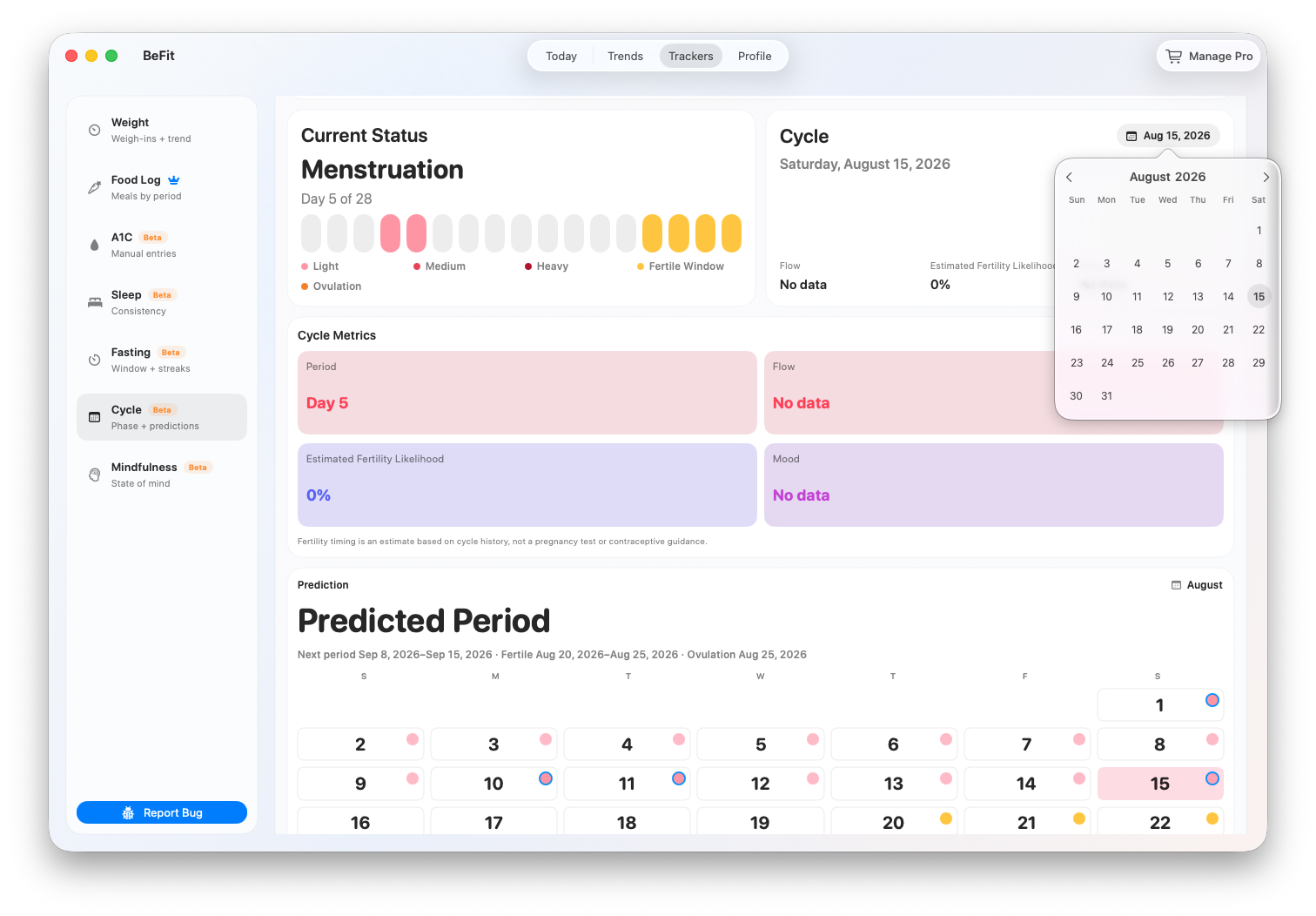
- Current Status shows the selected date’s estimated phase and cycle-day position.
- Cycle Metrics combines recorded flow or mood with calculated cycle day, length, fertility likelihood, and boundary context.
- Prediction Calendar marks estimated future period, fertile-window, and ovulation dates. Use its legend to distinguish estimates from recorded period days.
- Trend summarizes flow records over Week, Month, 6 Months, or Year.
- History lists the actual period ranges and observations from which the app calculates context.
Correct history and review the recalculation
- Find the period or observation in History and choose Edit.
- Correct the boundaries, flow, mood, or date and save. Do not create an overlapping replacement first.
- Delete a record only when it should not exist.
- Review Current Status, Cycle Metrics, the Prediction Calendar, and the trend. Each may change after the correction.
Connect the dates with your broader history
Cycle dates can add context when reviewing your own sleep, mindfulness, food, activity, or weight records. Use the shared timeline to remember what was happening and prepare questions, not to conclude that one tracker explains another.
Cycle is a Beta tracker. Do not use predicted periods, phase, fertility likelihood, fertile windows, or ovulation as contraception, fertility testing, diagnosis, or medical advice.