 BeFit Tracker Help
Mac tracker guide
Mindfulness tracking on Mac
Time or log mindfulness sessions, add optional daily context, and review minutes, streaks, methods, and trends on Mac.
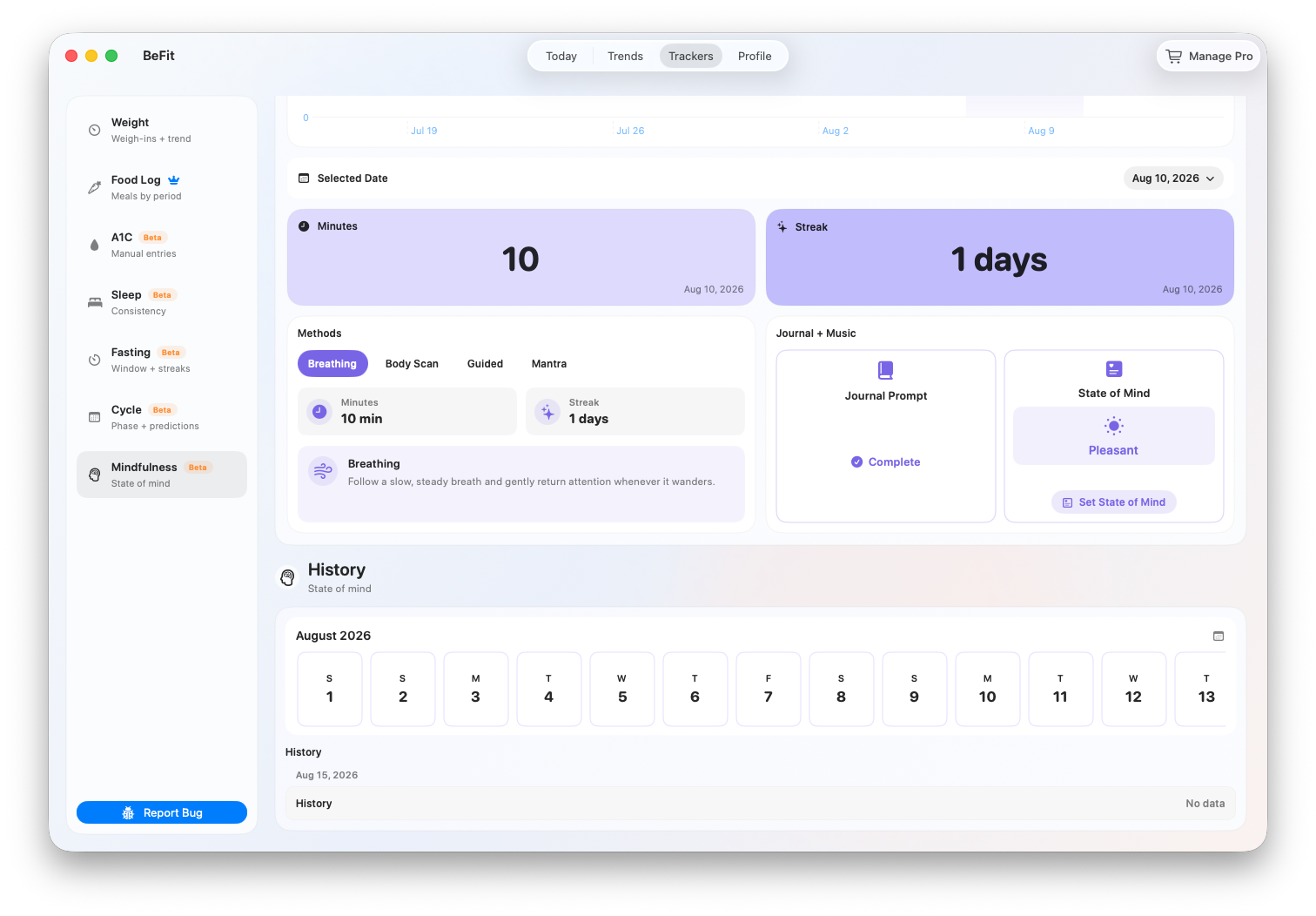
The Mac Mindfulness tracker separates completed practice time from optional daily reflection. Sessions determine minutes, streaks, and trends. State of Mind, journal completion, and music add context to the selected day without changing the recorded duration.
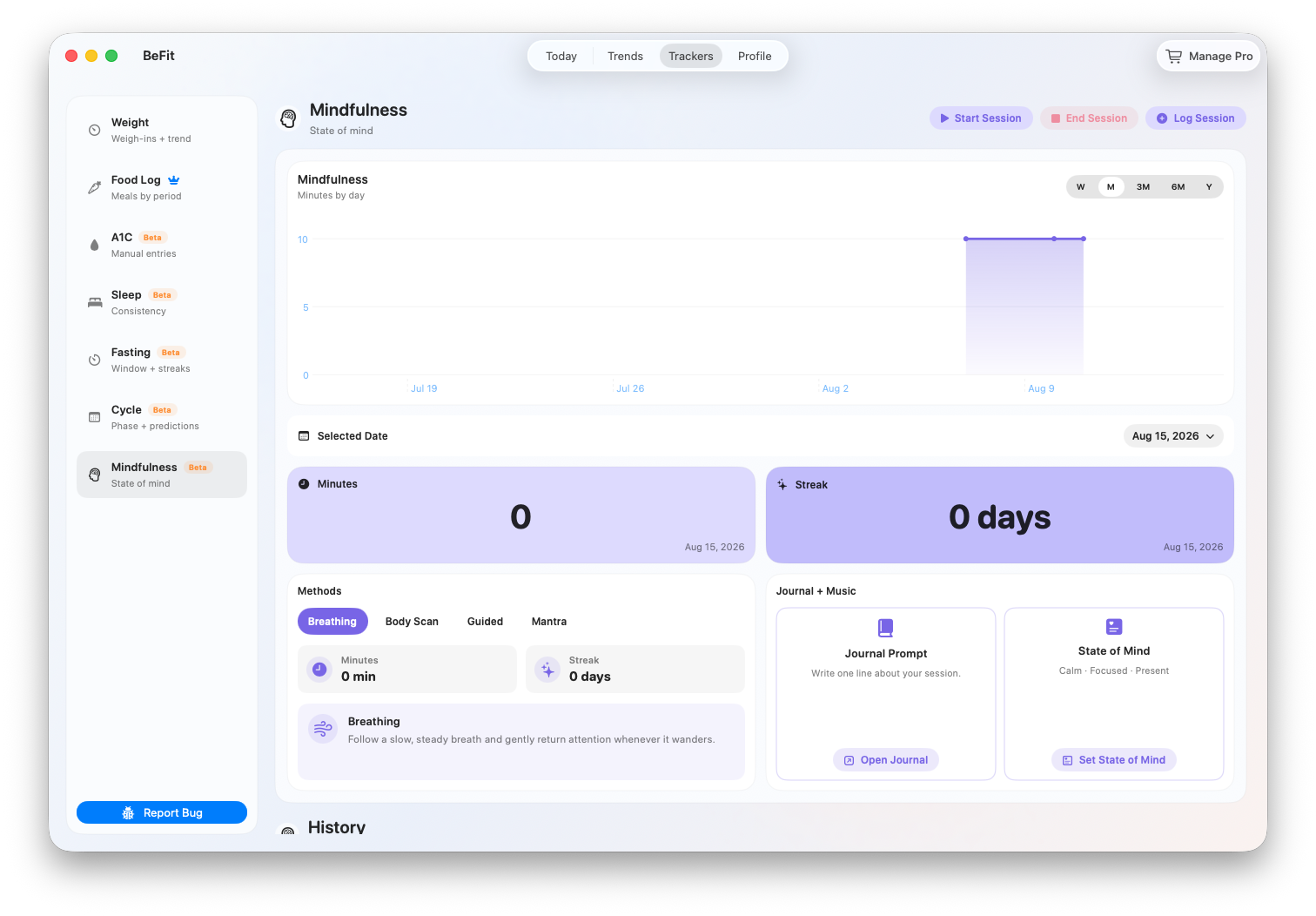
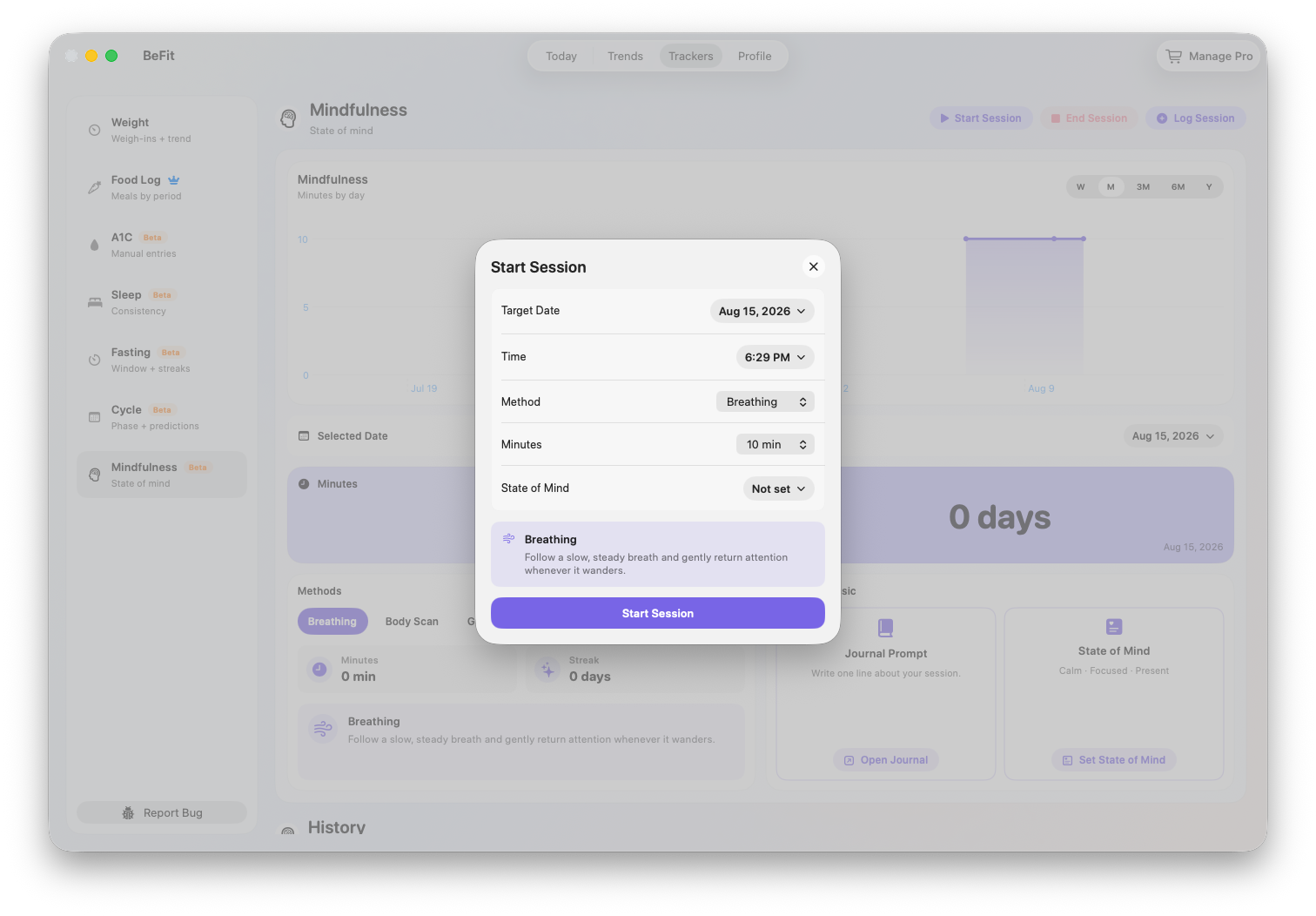
Start a live mindfulness session
- Open Trackers → Mindfulness and choose Start Session.
- Select Breathing, Body Scan, Guided, or Mantra.
- Set the target duration and confirm the start time.
- Practice outside or alongside the app. Only one mindfulness session can be active at a time.
- Choose End Session, confirm the end time, and save the completed session.
Log a completed session
- Choose Log Mindfulness Session.
- Select the method and target duration.
- Set the actual date and start time for the completed practice.
- Save, then verify the method and duration in History.
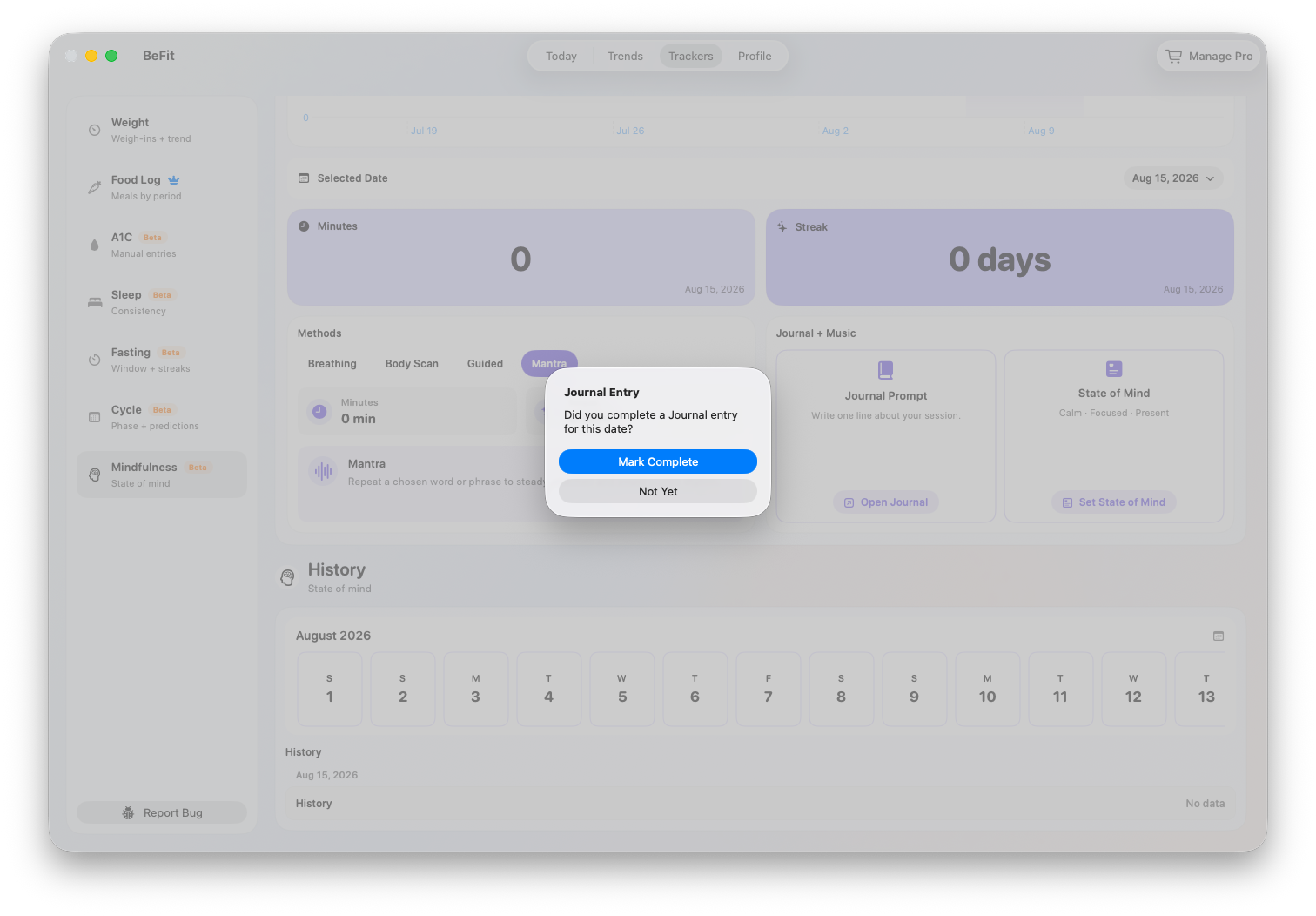
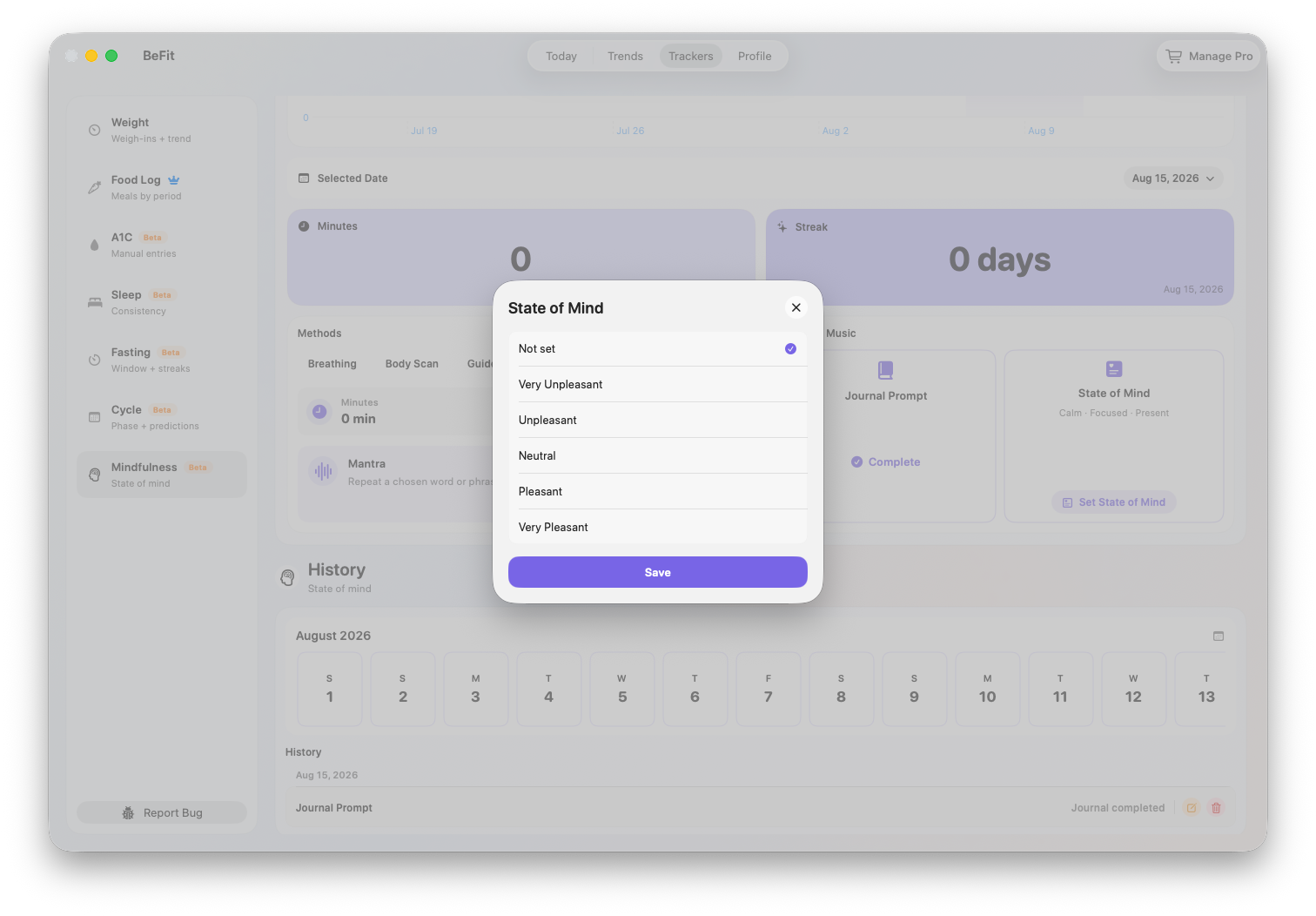
Add optional reflection to the selected day
- State of Mind records an available feeling from Very Unpleasant through Very Pleasant.
- Journal records whether you completed a reflection. The tracker stores completion, not the journal’s private text.
- Music can attach a selected song title and artist when media access is available.
Each item can be changed or removed independently. None of them adds mindfulness minutes or extends a session.
Understand the summaries
- Minutes totals completed sessions that started on the selected date.
- Streak counts consecutive days ending on the selected date that contain completed mindfulness minutes.
- Methods identifies the practice type used for each session.
- Trend totals completed minutes per day across Week, Month, 6 Months, or Year.
- History shows exact session timing and the optional daily check-in details behind the summaries.
Correct sessions and check-ins
- Find the affected date in History.
- Edit a session to change its method, target duration, start time, or end time.
- Edit or remove State of Mind, Journal, or Music separately when only that context is wrong.
- Delete a session only when it should no longer count toward minutes or streaks, then confirm.
- Review the selected day, streak, trend, and History after the change.
Use the record to reflect on consistency
Week and Month ranges can show how regularly you practiced; longer ranges can reveal breaks and restarts. Compare the dates with your own sleep, activity, fasting, or other records when helpful. The relationship is personal context, not proof that mindfulness caused a change.
Mindfulness is a Beta tracker. BeFit Tracker does not provide therapy, crisis support, diagnosis, or guaranteed effects on stress, mood, or health.