 BeFit Tracker Help
Mac food guide
Food Library and Open Food Facts on Mac
Search the bundled catalog, review nutrition and source context, and import a verified Open Food Facts match into your User Library.
The Mac Food Library offers two different sources: the read-only catalog bundled with BeFit Tracker and on-demand Open Food Facts search. In both paths, review the exact food, serving basis, source, and available nutrition before logging or saving it.
Search the bundled catalog
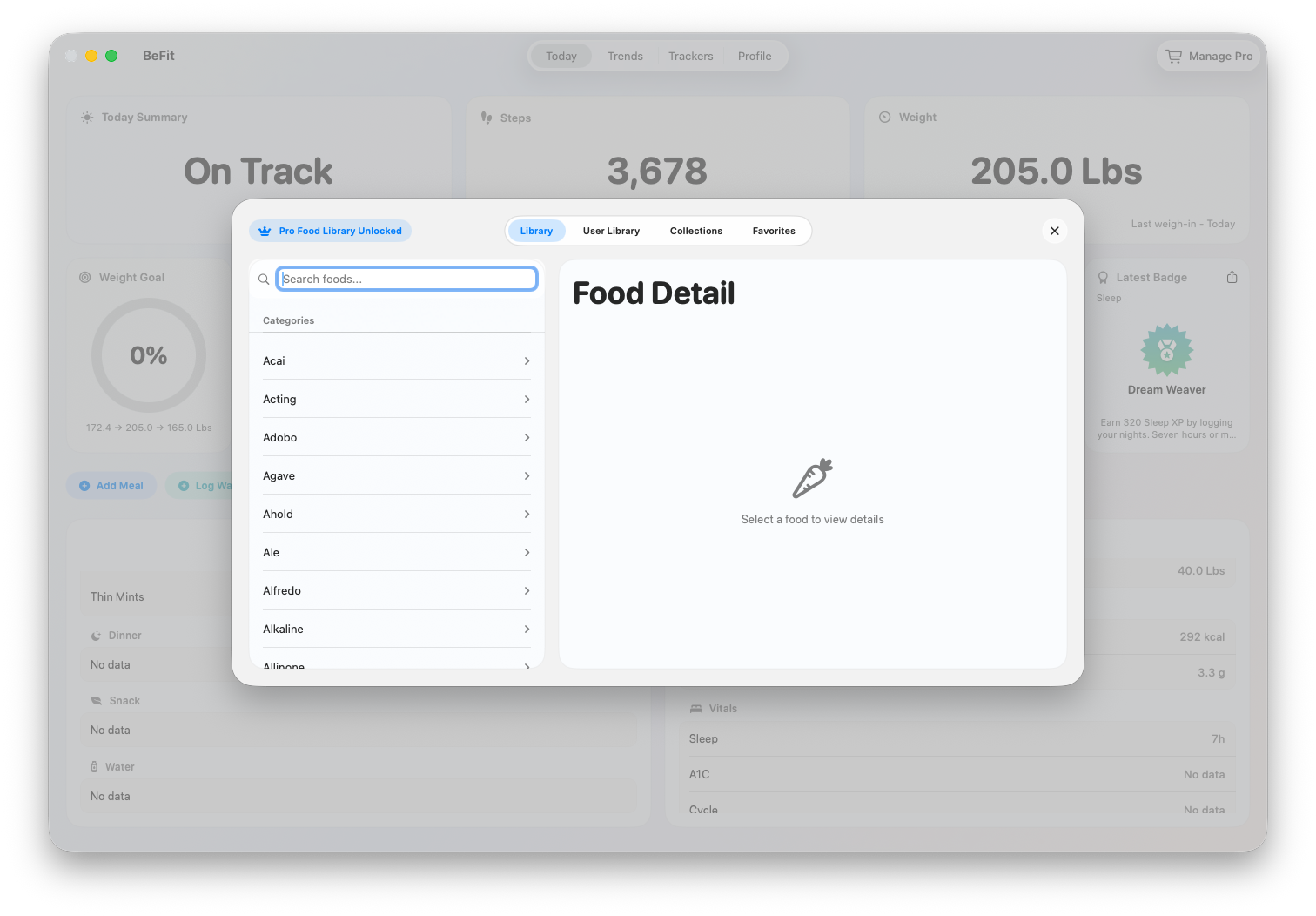
- Open Food Library from Food Log or a Today meal action.
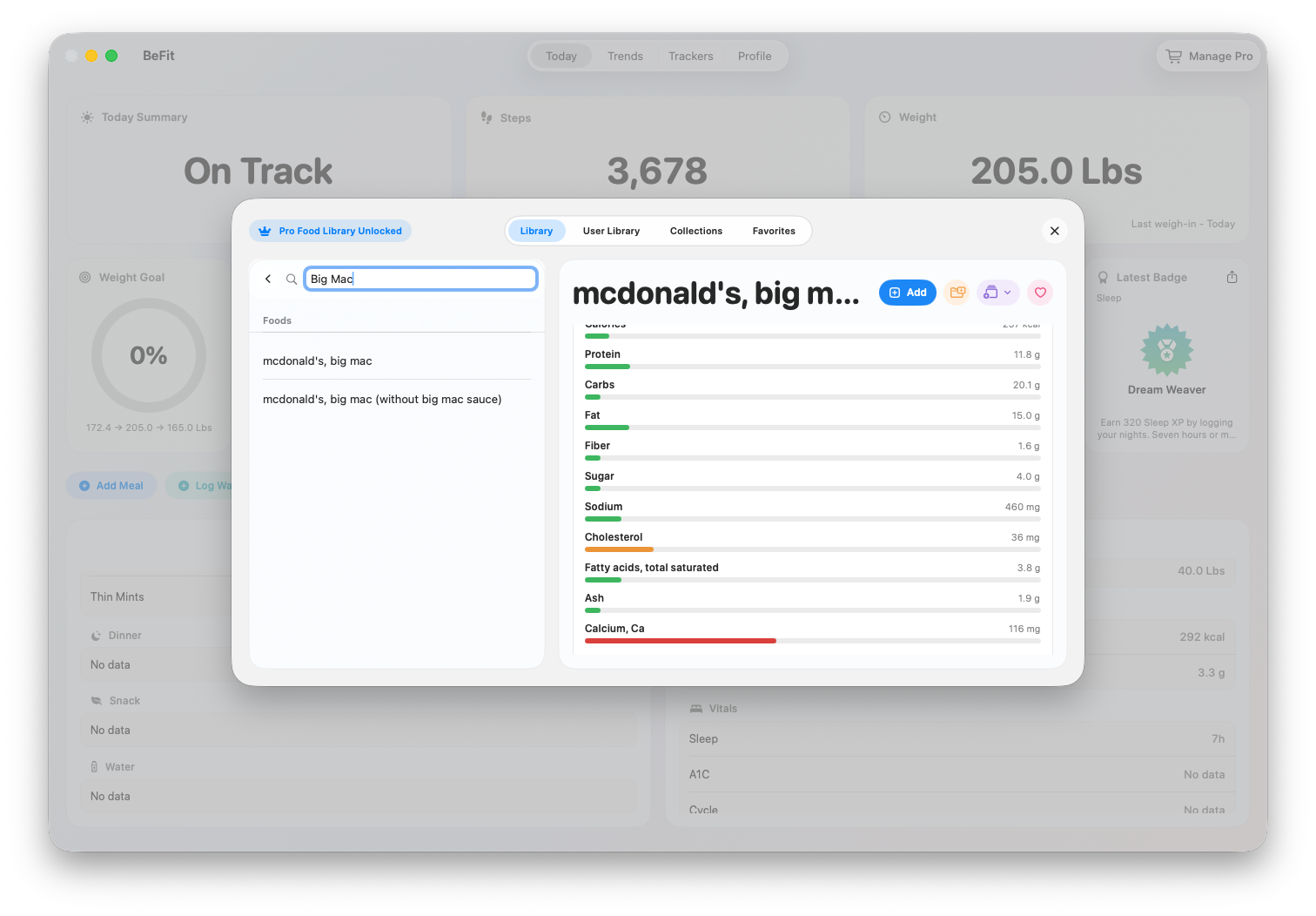
- Enter a specific food or brand in Search, or browse the available categories.
- Select a result to open its detail pane.
- Check the description, brand when present, source, serving choices, nutrient count, and macro completeness.
- If it is the right food, choose the logging action and set meal, date, serving count, and available portion.
Search Open Food Facts
- Open User Library, choose Add Food, then select Open Food Facts.
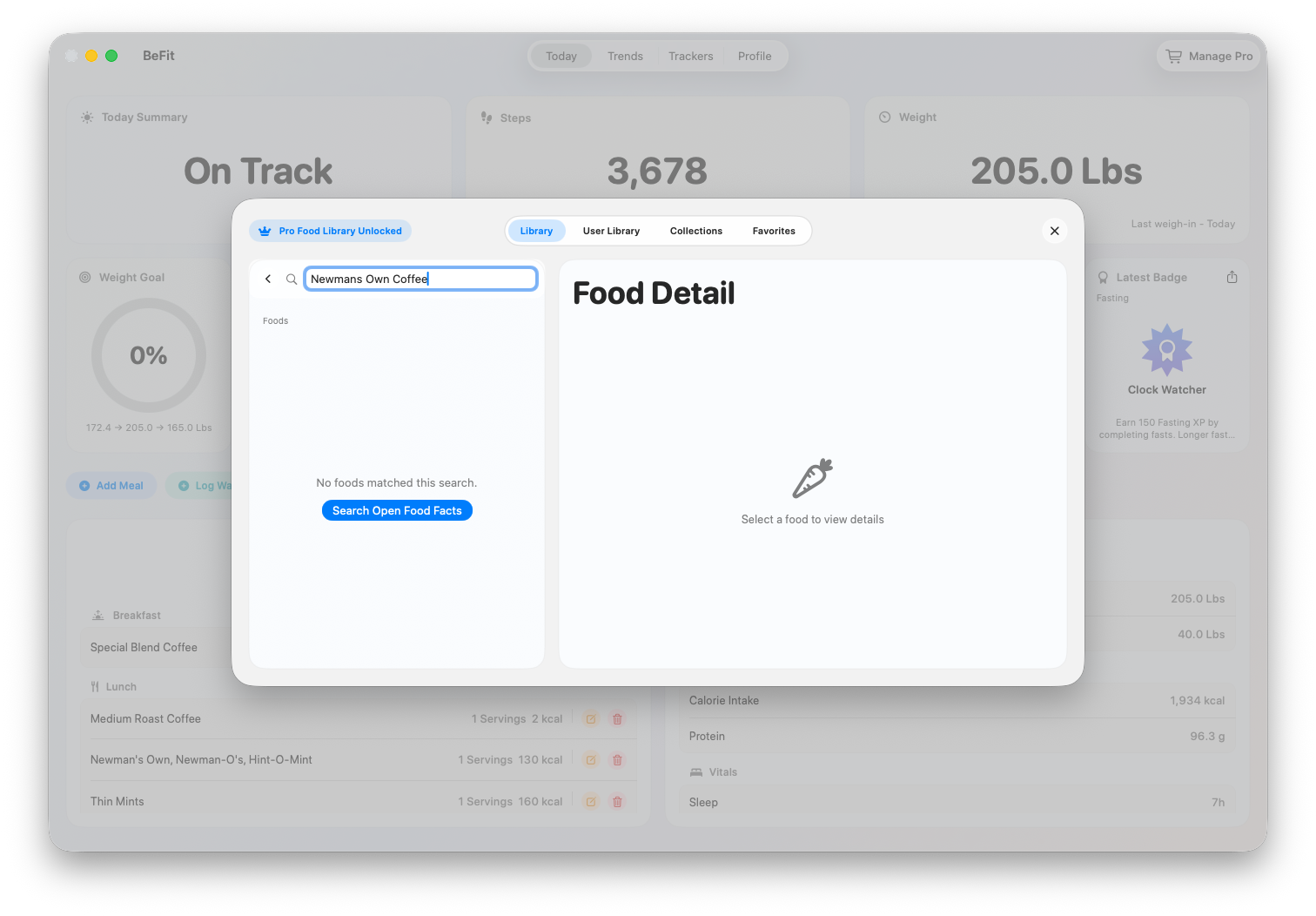
- Search for the product using a specific name, brand, or code when available.
- Select the closest candidate and compare its name, package information, serving basis, and nutrients with the physical label.
- Reject the candidate and search again if it is a different size, region, flavor, or formulation.
- Import only after the review. The product becomes a reusable User Library food with Open Food Facts provenance.
Log an imported food
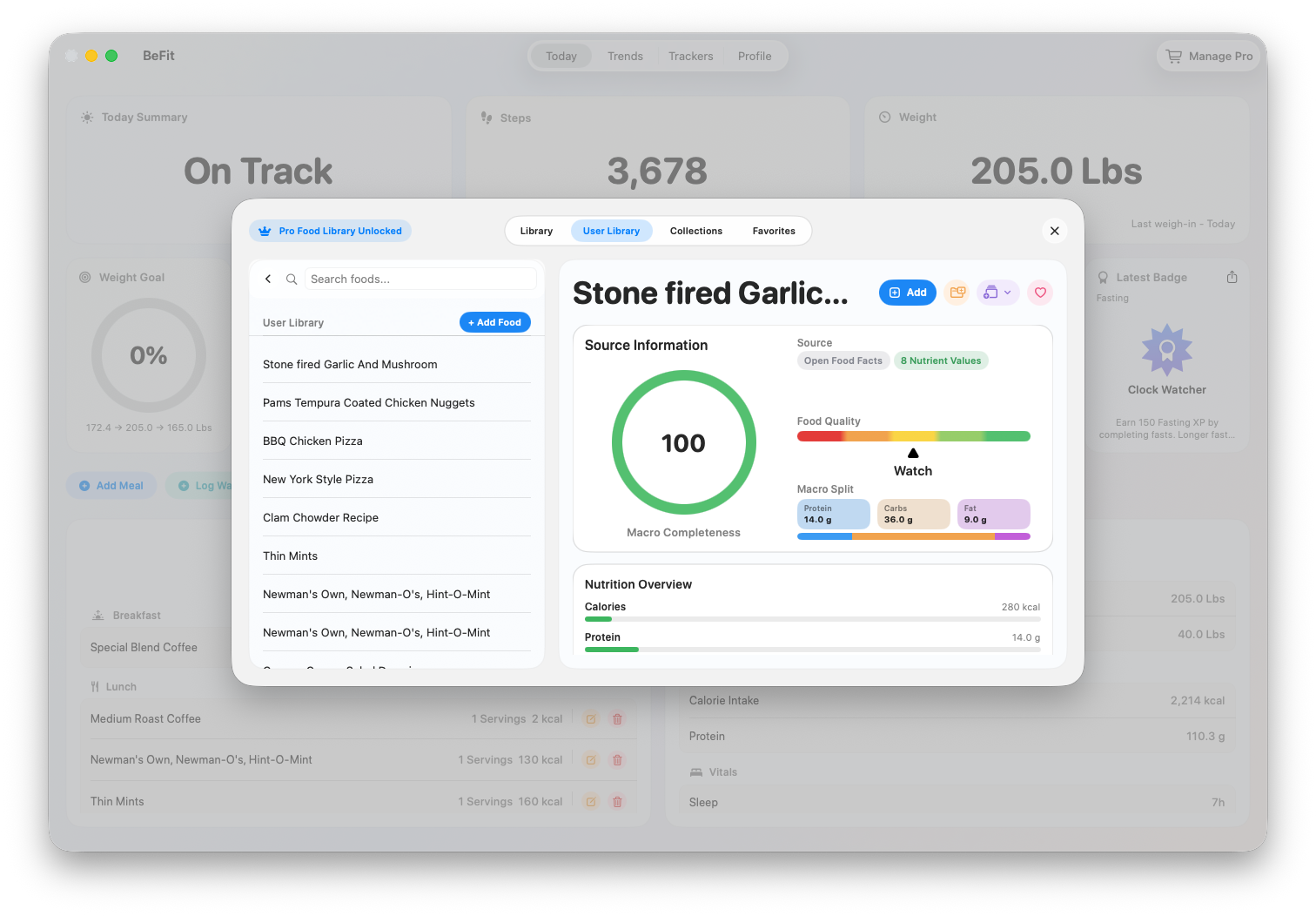
- Find the food in User Library.
- Open its detail and review the source and nutrition again.
- Choose meal, date, serving count, and the available portion that best matches what you consumed.
- Add the food and verify the resulting row in Food Log.
When no result is trustworthy
Search again with a more specific query or create a personal food from the package label or another source you can review. Do not import a nearby result merely to fill the gap. Public food data can be incomplete, and BeFit Tracker intentionally leaves unavailable nutrients missing rather than inventing them.
Open Food Facts coverage and accuracy vary by product and country. Compare community data with the package label and report a discrepancy when the source record appears wrong.