 BeFit Tracker Help
iPhone & iPad
Import records from the Health app
Choose which supported Health records BeFit Tracker may read on iPhone and iPad.
With your permission, BeFit Tracker can read supported Steps, Sleep, Mindful Minutes, and Cycle records from the Health app on iPhone and iPad. Import keeps the original Health source information separate from records entered directly in BeFit Tracker.
Authorize Health access
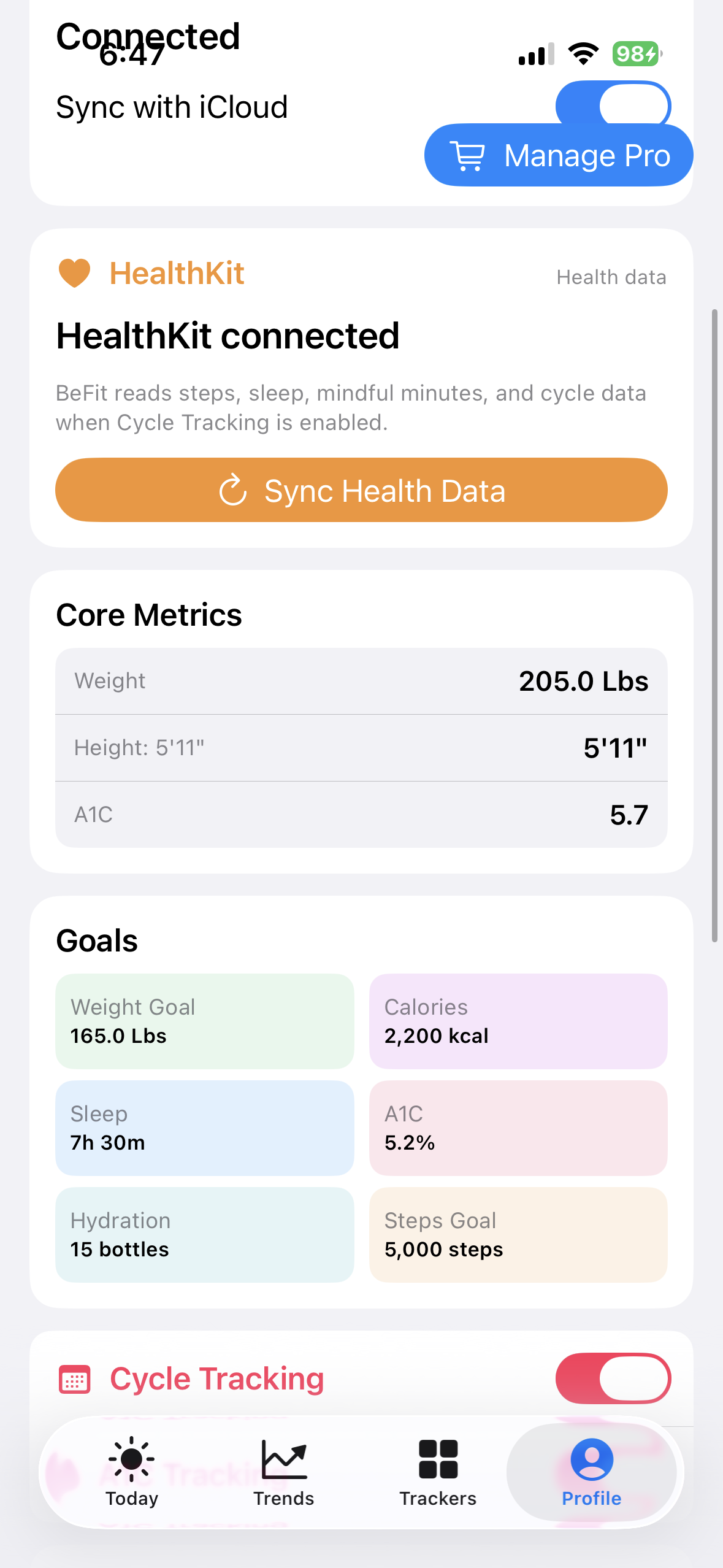
- Open Profile and find the HealthKit card.
- Choose Connect HealthKit or the available authorization action.
- In Apple's Health privacy sheet, allow only the supported categories you want BeFit Tracker to read.
- Return to BeFit Tracker and run the manual Health synchronization.
Access is read-only. BeFit Tracker does not write these records to Health and cannot override a category you deny.
Understand Authorized versus available data
Health authorization and readable samples are different. HealthKit Authorized means the permission request completed and the authorization state was persisted. It does not promise that Health contains a readable record for every category or date. Apple does not expose a simple per-type read-authorization result to third-party apps, so BeFit Tracker avoids claiming more than it can verify.
Run a manual synchronization
Health import remains a customer-controlled manual action. Start it from Profile when you want to check for new supported records. When no samples are returned, the connection can remain authorized while the result honestly reports that no readable days were found.
Review synchronization history
The information action beside Health synchronization shows the most recent manual attempts, including their localized time and success or failure result. History is bounded to the latest 30 attempts and remains available after relaunch. It records the synchronization attempt, not the private contents of your Health records.
What each supported category does
- Steps can contribute dated activity totals.
- Sleep can preserve supported Awake, REM, Core, and Deep samples. Awake remains visible in detail but is excluded from time-asleep totals.
- Mindful Minutes can contribute supported session duration. A source may not provide BeFit Tracker-specific methods or reflections.
- Cycle can contribute supported cycle records when Cycle Tracking is enabled.
Prevent duplicate records
If an expected record is missing, first inspect the original entry in Health, confirm the relevant permission, and run synchronization again. Do not immediately recreate imported information manually. A manual record and an imported record can represent different sources and may both appear in history.
Mac and iCloud
Mac does not connect directly to HealthKit. Supported mobile-imported records may reconcile to Mac through iCloud when synchronization is enabled. Health authorization and manual Health synchronization remain iPhone and iPad actions.